Category: COVID-19

COVID-19

  • Detailed Guide to Current Quarantine Requirements

    Detailed Guide to Current Quarantine Requirements

    Understanding Quarantine Requirements in Today’s World

    Quarantine requirements vary significantly based on your location, vaccination status, and the specific circumstances of potential exposure to infectious diseases. Here’s what you need to know right now:

    Quick Answer:

    • Quarantine = Stay home after exposure to see if you become sick
    • Isolation = Stay home when you are already sick
    • Federal quarantine = Applies to specific diseases like cholera, plague, and pandemic flu (in the U.S. context)
    • Most respiratory illnesses = Stay home until fever-free for 24 hours without medication
    • International travel = Requirements differ by country; many have dropped mandatory quarantine

    Understanding quarantine requirements has become essential knowledge for travelers, workers, and anyone who might be exposed to contagious diseases. The rules can feel confusing because they change based on whether you’re exposed to illness or already sick, where you’re traveling, and what disease is involved.

    The COVID-19 pandemic brought quarantine and isolation back into everyday conversation. These public health measures aren’t new—large-scale federal quarantine was last enforced during the 1918-1919 influenza pandemic (in the U.S.). But today’s requirements look very different than they did even a year ago.

    The key difference: Quarantine separates and restricts movement of people who might have been exposed to see if they get sick. Isolation separates people who are already sick to keep the disease from spreading to others. The process for both is similar—stay home, separate yourself, monitor your health—but the reason you’re doing it matters for how long and under what circumstances.

    For international travelers, vaccination status often determines whether you need to quarantine at all. Many countries, including Canada, have dropped mandatory quarantine for vaccinated arrivals. Others still require testing within 24 hours of arrival and self-isolation until you receive negative results.

    This guide will walk you through the legal framework behind quarantine authority, current requirements for respiratory illnesses like COVID-19, international travel rules, and practical steps for quarantining safely at home.
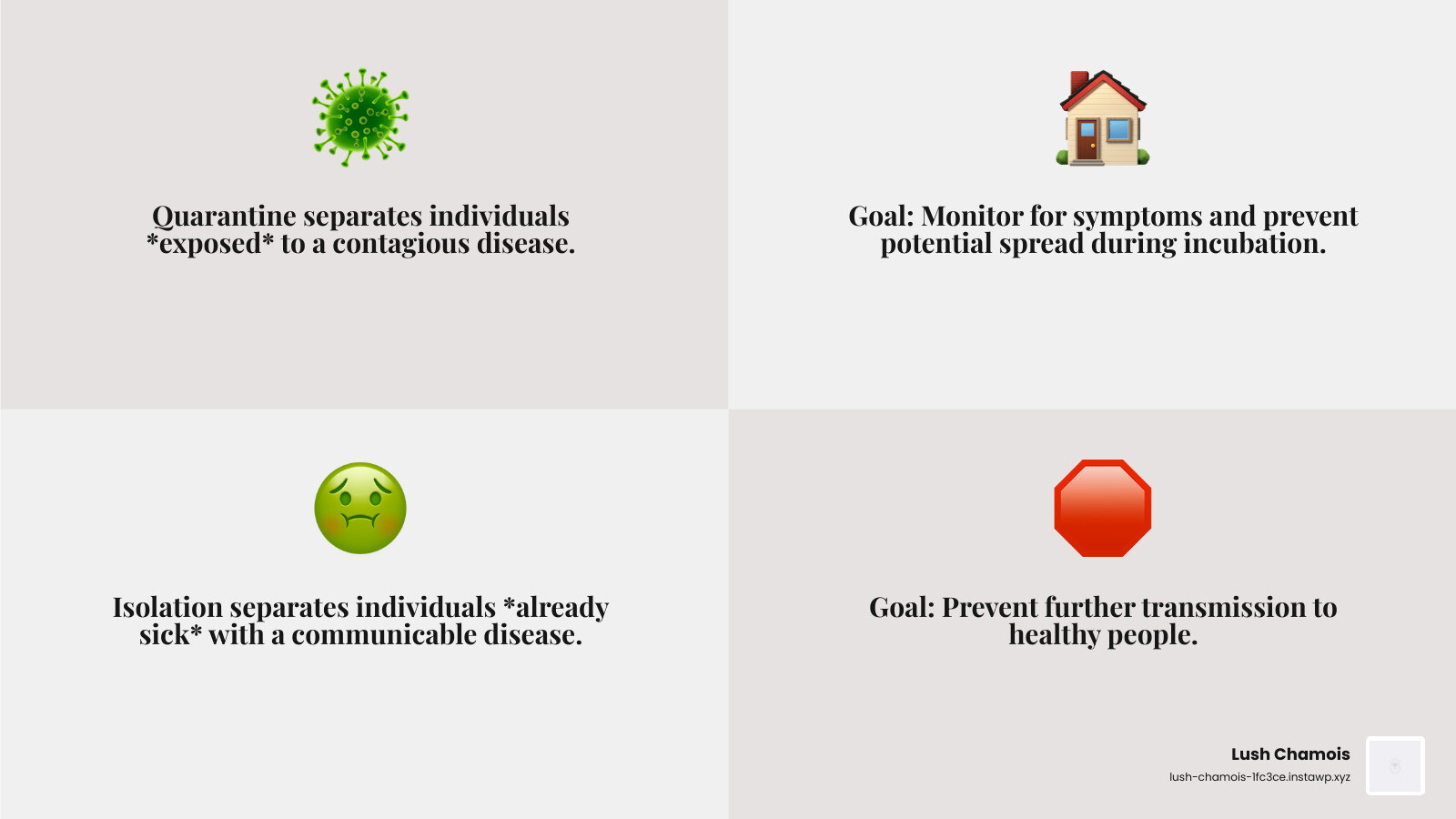
    infographic showing two parallel paths: left side shows "Quarantine" with icons of a healthy person exposed to illness, staying home for 5-14 days, monitoring symptoms daily; right side shows "Isolation" with icons of a sick person with confirmed illness, staying home until fever-free for 24 hours, separating from household members - quarantine requirements infographic 4_facts_emoji_grey

    Foundations of Quarantine and Isolation

    generic government building - quarantine requirements

    At its heart, “quarantine” means separating and restricting the movement of individuals who may have been exposed to a contagious disease. The goal is to see if they become sick, preventing potential spread during the incubation period. “Isolation,” on the other hand, is for those who are already sick with a communicable disease, keeping them away from healthy people to prevent further transmission. Both are crucial public health tools.

    While our focus at Lush Chamois is on Canadian health and travel, it’s helpful to understand the broader legal context of quarantine requirements. In the U.S., federal isolation and quarantine powers are derived from the Commerce Clause of the U.S. Constitution and are authorized under section 361 of the Public Health Service Act. This allows the U.S. Secretary of Health and Human Services to prevent the entry and spread of communicable diseases.

    The Centers for Disease Control and Prevention (CDC) plays a significant role in the U.S., authorized to detain, medically examine, and release persons arriving into the United States and traveling between states if they are suspected of carrying certain communicable diseases. They also monitor individuals at U.S. ports of entry.

    State, local, and tribal authorities in the U.S. also have their own powers to enforce isolation and quarantine within their borders, often referred to as “police power” functions. In cases of conflict, federal law is supreme. Breaking a federal quarantine order in the U.S. is considered a federal crime, punishable by fines and imprisonment, with enforcement assisted by law enforcement agencies like U.S. Customs and Border Protection and the U.S. Coast Guard. Historically, large-scale federal isolation and quarantine in the U.S. was last broadly enforced during the influenza (“Spanish Flu”) pandemic of 1918–1919.

    Federally Quarantinable Diseases

    In the U.S., federal isolation and quarantine are authorized by Executive Order of the President for a specific list of communicable diseases. These include:

    • Cholera
    • Diphtheria
    • Infectious tuberculosis
    • Plague
    • Smallpox
    • Yellow fever
    • Viral hemorrhagic fevers
    • Severe acute respiratory syndromes (SARS)
    • Flu that can cause a pandemic
    • Measles

    It’s crucial to remember that these are U.S. federal guidelines. In Canada, public health measures, including quarantine requirements, are typically managed at the provincial and territorial levels, with federal oversight for international borders.

    Understanding Current Quarantine Requirements for Respiratory Illnesses

    person washing hands thoroughly - quarantine requirements

    In Canada, much like in other parts of the world, our approach to managing respiratory illnesses like COVID-19, influenza (flu), and respiratory syncytial virus (RSV) has evolved. The focus has largely shifted from broad, mandatory quarantine requirements to emphasizing core prevention strategies and individual responsibility when sick.

    Core and Additional Prevention Strategies

    The general wisdom for staying healthy and preventing the spread of respiratory viruses is now quite similar across the board. The CDC, for instance, recommends several core strategies that we also champion in Canada:

    • Stay Up-to-Date with Vaccinations: For illnesses like COVID-19 and the flu, vaccines significantly lower your risk of severe illness, hospitalization, or death. While vaccinated individuals can still get sick, the severity is usually much less. We always encourage you to discuss vaccination options with your primary care provider.
    • Practice Good Hygiene: This is a classic for a reason! Regularly wash your hands thoroughly, especially after coughing, sneezing, or being in public. Cover your mouth and nose when you cough or sneeze. Cleaning and disinfecting frequently touched surfaces also helps break the chain of transmission.
    • Ensure Cleaner Air: Improving indoor air quality, perhaps through ventilation or air purifiers, can make it harder for respiratory viruses to spread.
    • Wear a Mask: While not always mandatory, wearing a well-constructed and well-fitted mask or respirator is a highly effective additional prevention strategy. Research shows it’s effective in reducing the spread of respiratory viruses. This is particularly useful when you’re sick, when community transmission is high, or when you’re around individuals with a weakened immune system.
    • Physical Distancing: Maintaining a physical distance from others, especially in crowded indoor settings, can further reduce your risk of exposure.
    • Protect Your Immune System: Simple lifestyle choices like getting enough sleep, managing stress, exercising regularly, and taking care of chronic health conditions can all help bolster your body’s natural defenses.

    These strategies are especially important when respiratory viruses are causing a lot of illness in our communities, or if you or someone around you has risk factors for severe illness.

    When to Stay Home and When to Return

    When you’re feeling under the weather with a respiratory illness, the general rule of thumb across Canada and beyond is to stay home. Rest is a powerful tool for recovery, and it also prevents you from spreading germs to others.

    • When to Stay Home: If you have symptoms like a runny nose, sore throat, cough, or especially a fever, it’s best to stay home.
    • When to Return to Activities: You can generally return to work, school, or other normal activities when you meet these criteria:
      • You have been symptom-free (including no fever) for at least 24 hours.
      • You are no longer taking fever-reducing medication like acetaminophen (Tylenol®) to control your fever.

    After your symptoms improve, it’s still a good idea to take extra precautions for about five days, such as wearing a mask when around others and limiting unnecessary contact. This helps ensure you don’t inadvertently spread lingering germs.

    If you are a parent, knowing when to keep your child home from school is key. The same 24-hour symptom-free rule generally applies.

    For those who have been in “close contact” with someone sick, the need for quarantine requirements has also evolved. While definitions can vary slightly, close contact generally means being closer than 6 feet from someone with the virus for a cumulative total of 15 minutes or longer within a 24-hour period. In Canada, current guidance for exposed individuals often emphasizes symptom monitoring and mask-wearing rather than mandatory quarantine, especially if you’re vaccinated and asymptomatic. However, if you develop symptoms after exposure, the “stay home” rule kicks in.

    Quarantine and International Travel

    International travel has seen some of the most dynamic changes in quarantine requirements over the past few years. What was once a complex web of mandatory quarantines, multiple tests, and strict documentation has largely simplified, especially for countries like Canada. However, it’s still crucial to be informed, as rules can change, and other destinations may have different policies.

    For travellers entering Canada by air, land, or marine mode, the good news is that many of the stringent COVID-19 quarantine requirements have been lifted.

    According to COVID-19 travel rules for Canada:

    • Proof of COVID-19 vaccination is NOT required.
    • Pre-board testing is NOT required.
    • COVID-19 pre-entry and arrival tests are NOT required.
    • Quarantine after you enter Canada is NOT required.
    • Using ArriveCAN is also no longer required, although you can use its Advance Declaration feature to save time at the border.

    While not mandatory, the Public Health Agency of Canada still strongly recommends that you wear a well-constructed and well-fitted mask or respirator while you travel.

    This represents a significant shift from earlier policies that included mandatory hotel quarantine for unvaccinated international arrivals. For instance, in Australia, as of April 30, 2022, unvaccinated international arrivals were no longer required to undertake hotel quarantine and followed the same guidelines as fully vaccinated arrivals, including taking a rapid antigen test within 24 hours of arrival. Similarly, the Philippines previously had detailed entry, quarantine, and testing requirements based on vaccination status and age. These examples highlight how quickly quarantine requirements can change and why staying updated for your specific destination is paramount.

    What to Do if You Get Sick While Traveling

    Even with relaxed quarantine requirements, it’s always possible to get sick while traveling. If you develop COVID-19 symptoms while abroad or upon arrival in Canada:

    • Do not travel to Canada if you have symptoms of COVID-19. This is a key recommendation from the Canadian government.
    • Notify Authorities: If you feel sick or experience symptoms during your travel or upon arrival, inform the flight attendant, cruise staff, or a border services officer. You may be referred to a Quarantine Officer for a health assessment and further direction.
    • Avoid Public Transportation: If you are symptomatic, it’s advised to avoid taking public transportation to your final destination.
    • Check Provincial or Territorial Requirements: Once you are in Canada, if you are symptomatic or test positive, you should check the provincial or territorial requirements for what you need to do. Public health directives in Quebec and Ontario will guide your next steps regarding isolation and precautions.

    Always prioritize your health and the health of those around you. Being prepared for potential illness while traveling means having a plan for isolation and knowing how to access local medical care.

    A Practical Guide to Quarantine and Isolation at Home

    Whether you’re isolating because you’re sick or quarantining due to exposure (though less common now for asymptomatic exposure in Canada), doing it effectively at home is key to preventing further spread. It requires a bit of planning and discipline, but it’s entirely manageable.

    Practical Steps for Fulfilling Quarantine Requirements at Home

    If you find yourself needing to quarantine or isolate at home, here are some practical steps we recommend to make the experience smoother and safer for everyone:

    1. Separate Yourself: Ideally, stay in a designated “sick room” or separate bedroom in your home. If possible, use a separate bathroom as well. This creates a physical barrier between you and other household members.
    2. Arrange for Supplies and Food Delivery: Plan ahead for essentials. Have friends, family, or delivery services drop off groceries, medications, and other necessities at your closed door. This minimizes contact and keeps everyone safe. If someone is delivering items, they should leave them at the door and avoid direct contact.
    3. Practice Impeccable Hygiene:
      • Handwashing: Clean your hands often with soap and water for at least 20 seconds. If soap and water aren’t available, use a hand sanitizer with at least 60% alcohol.
      • Cough/Sneeze Etiquette: Cover your coughs and sneezes with a tissue, then dispose of the tissue and wash your hands immediately.
      • Don’t Share: Avoid sharing personal household items like dishes, drinking glasses, eating utensils, towels, or bedding.
    4. Clean and Disinfect: Regularly clean and disinfect frequently touched surfaces in your isolation area (e.g., doorknobs, light switches, remote controls, phones, countertops).
    5. Monitor Your Symptoms: Keep a close eye on your health. Take your temperature twice a day (morning and evening) and note any new or worsening symptoms. Most people develop symptoms within 10 days of exposure, but it can take up to 14 days. This daily tracking helps you know when to seek further medical advice or testing.
    6. Wear a Mask: If you absolutely must be around other people in your home (e.g., in a shared space), wear a well-fitting mask to protect them.
    7. Seek Medical Care When Needed:
      • If your symptoms worsen, contact your primary care provider or a public health hotline.
      • If you experience severe symptoms or emergency warning signs (e.g., difficulty breathing, persistent pain or pressure in the chest, new confusion, inability to wake or stay awake, pale/gray/blue-colored skin, lips, or nail beds), call emergency services immediately. Inform them of your COVID-19 status or symptoms.
    8. Mental Health Support: Being isolated can be tough on your mental health. Stay connected with loved ones virtually. If you’re struggling, resources are available. Many universities and healthcare providers offer mental health resources that can provide support during challenging times.

    Testing Strategies: PCR vs. At-Home Tests

    Testing plays a crucial role in managing respiratory illnesses, whether you’re exposed or symptomatic. Lush Chamois provides convenient and reliable testing services to help you steer these situations.

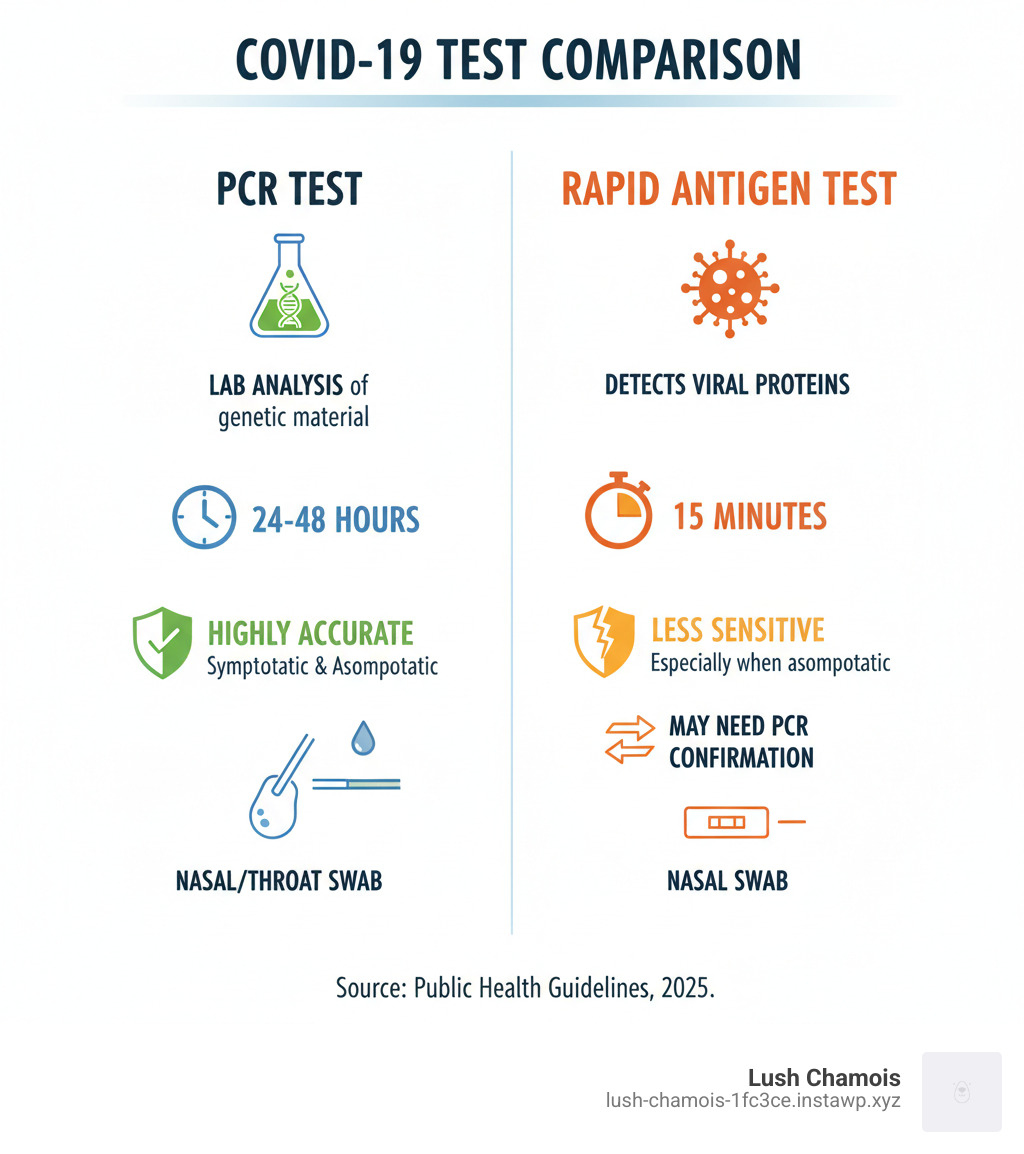
    • PCR Tests: Polymerase Chain Reaction (PCR) tests are considered the “gold standard” for detecting viral genetic material. They are highly accurate and can detect the virus even at low levels, making them excellent for confirming infection. If you have symptoms but a rapid test is negative, a PCR test can offer a more definitive answer.
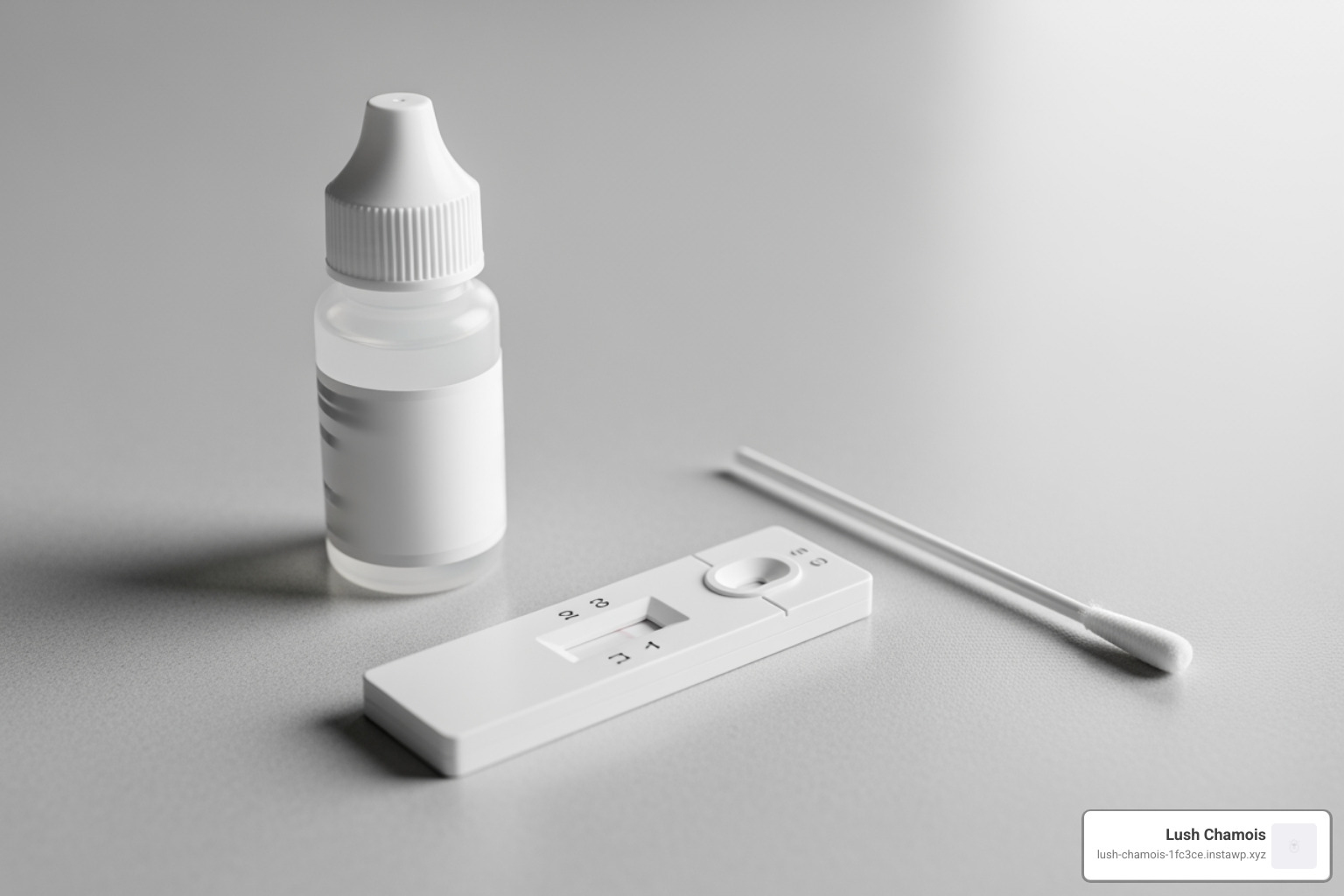
    • Rapid Antigen Tests: These tests detect specific viral proteins and provide quick results, often within 15-30 minutes. They are best for detecting high levels of the virus, especially when you are symptomatic and most contagious. They are a convenient option for quick checks, such as before visiting vulnerable individuals. Lush Chamois offers virtual rapid antigen testing services, allowing you to get reliable results with official documentation from the comfort of your home.

    When to Test:

    • After Exposure: If you’ve been in close contact with someone who has COVID-19, it’s generally recommended to get tested at least 5 days after your last exposure, even if you are vaccinated and feeling well.
    • If Symptomatic: Get tested as soon as possible if you develop symptoms of COVID-19, regardless of your vaccination status. This helps confirm the diagnosis and guides your isolation period and treatment decisions.

    Interpreting Results:

    • Positive Result: If you test positive, you should isolate immediately, regardless of your vaccination status.
    • Negative Result: A negative rapid antigen test doesn’t always rule out infection, especially if you have symptoms. If you have symptoms and test negative with a rapid test, consider taking a PCR test or retesting with a rapid antigen test 24-36 hours later.

    Reliable testing is essential for making informed decisions about your health and adhering to quarantine requirements. For convenient and reliable testing with official documentation needed for travel or peace of mind, learn more about our testing services.
    Frequently Asked Questions about Quarantine

    What is the main difference between quarantine and isolation?

    The main difference is the reason for staying home. Quarantine separates and restricts the movement of people who were exposed to a contagious disease to see if they become sick. It’s a precautionary measure for those who might be infected but aren’t showing symptoms. Isolation, on the other hand, separates sick people with a communicable disease from people who are not sick. It’s for individuals who are confirmed to be infected and are showing symptoms or have tested positive.

    Who needs to quarantine after being exposed to COVID-19?

    This depends on current public health guidance, which often considers your vaccination status and whether you’ve had a recent infection. In Canada, for instance, current federal guidelines for international arrivals no longer require quarantine after entry, regardless of vaccination status. For domestic exposures, many provincial guidelines now emphasize symptom monitoring and mask-wearing rather than mandatory quarantine for asymptomatic individuals, especially if vaccinated. However, if you are unvaccinated, not up-to-date with your vaccinations, or it’s been more than 90 days since you tested positive for COVID-19 and you’re not up-to-date with your vaccinations, you may be advised to quarantine for a specific period (e.g., 5 days in some past guidelines, though this can vary by region and current public health risk assessments). Always check the latest guidance from your provincial or territorial public health authority in Quebec or Ontario.

    What are the consequences of breaking a federal quarantine order in the US?

    While our services are in Canada, it’s important to understand the severity of such orders. In the U.S., breaking a federal quarantine order is a federal crime and is punishable by fines and imprisonment. Enforcement can be carried out by federal officers with assistance from local law enforcement. For Canadian contexts, consequences for non-compliance with public health orders would be determined by provincial or territorial laws.

    Conclusion

    Navigating quarantine requirements in today’s world can feel like trying to hit a moving target, with guidelines constantly evolving. We’ve seen how the fundamental difference between quarantine (for exposure) and isolation (for illness) remains constant, even as the specific rules change. The shift away from broad, mandatory quarantines, particularly for international travel to Canada, highlights a move towards individual responsibility and core prevention strategies.

    Staying informed about the latest public health directives from reputable sources is crucial. Whether it’s practicing good hygiene, staying home when sick, or understanding the nuances of international travel, our collective efforts contribute to healthier communities. Reliable testing, like the PCR and virtual rapid antigen tests offered by Lush Chamois, plays a vital role in making informed decisions for your health and travel. For convenient and reliable testing with official documentation needed for travel or peace of mind, learn more about our testing services.

  • Navigating Air Travel: The Essential Fit-to-Fly Certificate Explained

    Navigating Air Travel: The Essential Fit-to-Fly Certificate Explained

    Understanding Your Travel Health Documentation

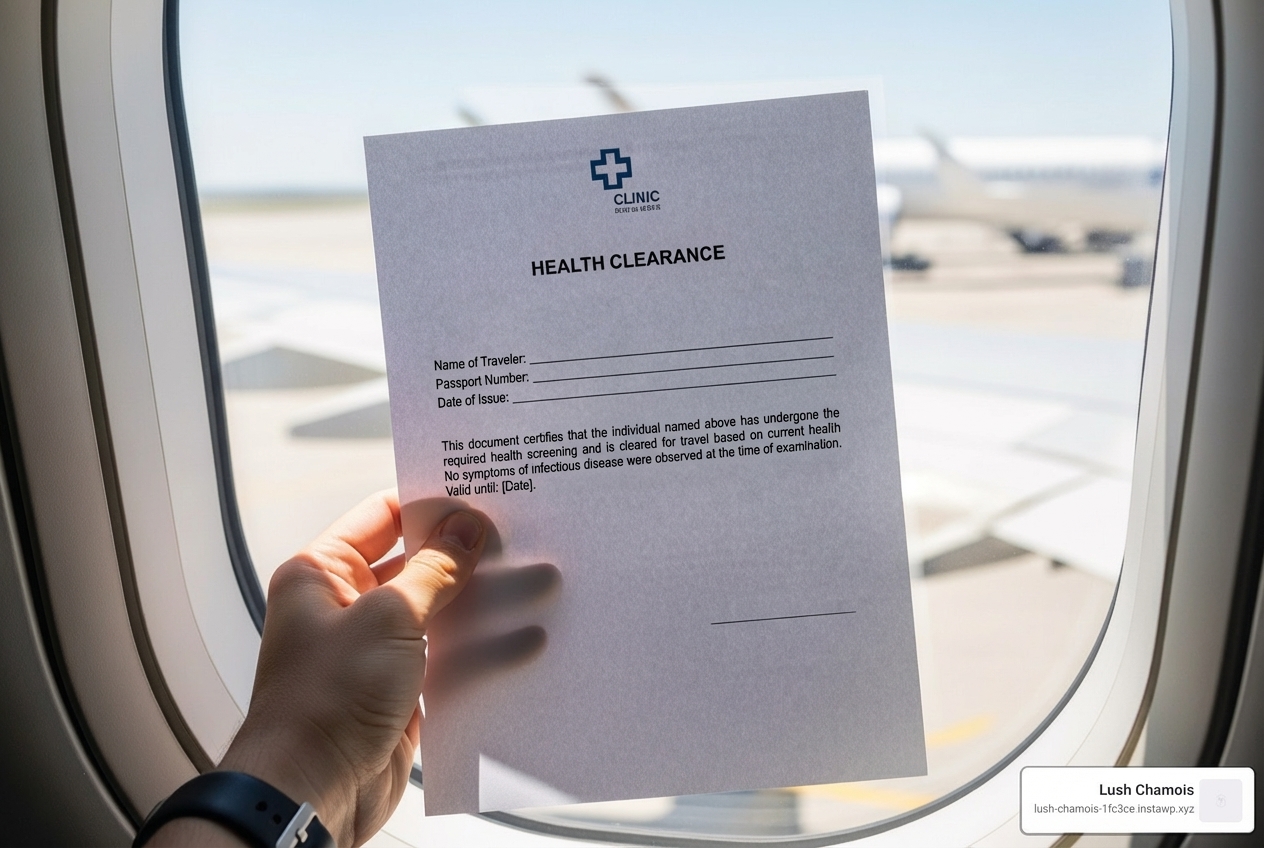
    A Fit-to-Fly certificate is a medical document from a healthcare professional confirming you are medically stable and safe to travel by air. Airlines may require this certificate before boarding if you’re recently discharged from a hospital, recovering from surgery, more than 28 weeks pregnant, or have certain medical conditions.

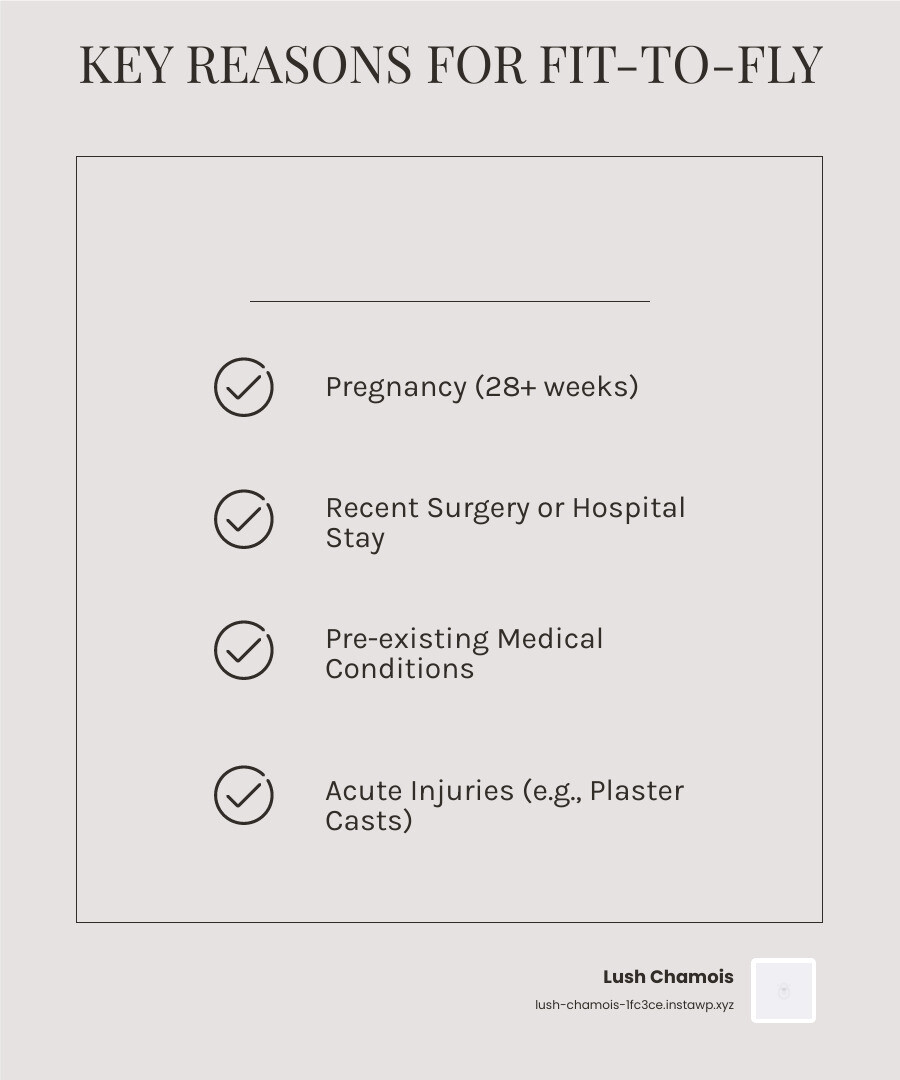
    Key reasons you might need a Fit-to-Fly certificate:

    • Pregnancy – Most airlines require one after 28 weeks of pregnancy
    • Recent surgery – Especially chest, abdominal, or major operations
    • Hospital discharge – Within days or weeks of leaving medical care
    • Medical conditions – Heart problems, respiratory issues, or contagious diseases
    • Plaster casts – Fitted within 24-48 hours of your flight
    • Medical travel – Flying specifically to receive treatment elsewhere

    With air travel returning to pre-pandemic levels, understanding medical clearance requirements is more important than ever. Airlines maintain final discretion on whether to accept passengers, even with a certificate, as their primary concern is safety.

    The cost of a Fit-to-Fly certificate typically ranges from £20-£40, depending on your GP or private provider. These certificates are trip-specific and do not remain valid indefinitely; you’ll need a current assessment for each trip involving a medical condition.

    Infographic showing five scenarios requiring a fit-to-fly certificate: a pregnant woman at 28+ weeks, a patient post-surgery with bandages, a person with a heart condition holding medication, someone with a fresh plaster cast on their arm, and a traveler heading to medical treatment abroad, each with airplane icons and checkmarks indicating certificate requirement - Fit-to-fly certificate infographic checklist-light-beige

    What is a Fit-to-Fly Certificate and Who Needs One?

    A Fit-to-Fly certificate is a formal letter from a doctor confirming you are medically well enough for air travel. It’s a medical clearance designed to ensure your safety and that of others, preventing in-flight emergencies. It’s not for every traveler, but for those whose health could be affected by flying (e.g., cabin pressure changes) or who might pose a risk to others.

    Airlines, like flydubai, require a medical clearance or Fit-to-Fly certificate in various circumstances, such as traveling with a portable oxygen concentrator or flying while pregnant. Unlike a general medical certificate for a visa, a Fit-to-Fly certificate specifically addresses your ability to withstand the rigours of air travel.

    Feature Fit-to-Fly Certificate General Medical Certificate for Travel
    Primary Purpose Confirm fitness for air travel, airline requirement Confirm general health, visa/entry requirement
    Issuing Authority Doctor/healthcare professional Doctor/healthcare professional
    Focus Impact of air travel on health, risk of in-flight emergency Overall health status, absence of specific diseases
    Common Scenarios Pregnancy (28+ weeks), post-surgery, specific medical conditions, contagious diseases Visa applications, long-stay permits, employment abroad
    Airline Discretion Airlines can deny boarding even with certificate Less direct airline involvement
    Validity Often trip-specific, short-term Can be valid for longer periods (e.g., 6 months)
    Required Information Specifics of condition, stability, ability to fly General health, immunizations, absence of communicable diseases

    When is a certificate typically required?

    Airlines request medical clearance when there’s a perceived health risk. Common scenarios include:

    • Pregnancy (28+ weeks): Most airlines require a doctor’s note confirming a healthy, normal pregnancy and your due date.
    • Post-surgery recovery: A doctor’s letter is needed to confirm it’s safe to travel, especially after major operations.
    • Heart conditions: If you have an unstable heart condition or have recently had a heart attack, your doctor must assess your fitness to fly.
    • Respiratory conditions: For conditions like severe asthma or COPD, a note may be needed to confirm stability and any need for supplemental oxygen.
    • Plaster casts: A certificate may be required for casts fitted within 24-48 hours of a flight due to swelling risks at altitude.
    • Travelling for medical treatment: Airlines often require a certificate to confirm your stability for the journey.
    • Contagious diseases: A certificate may be needed to confirm you are no longer infectious (e.g., scabbed-over chickenpox).
    • Airline discretion: Always check with your airline in advance if you have any health condition that might raise concerns, as they have the final say.

    What information is included in the certificate?

    A proper Fit-to-Fly certificate should be clear, concise, and contain key details to satisfy the airline. While formats vary, it generally includes:

    • Patient details: Your full name, date of birth, and passport number.
    • Doctor’s confirmation: A clear statement that you have been assessed and are deemed fit for air travel.
    • Statement of fitness: Confirmation that your condition is stable and you are unlikely to need extraordinary medical assistance during the flight.
    • Date of examination: The date the assessment was conducted.
    • Doctor’s signature and stamp: The certificate must be signed and officially stamped by a certified medical professional.
    • Specific medical details (if applicable): For pregnancy, the expected delivery date. For other conditions, the nature and stability of the condition.
    • Language: The certificate should be in English for most international travel.

    It’s vital to ensure the certificate is legible and complete. Airlines like flydubai specify that medical certificates must be “written clearly in English or Arabic, signed and stamped by a certified medical professional…”

    The Process of Obtaining Your Fit-to-Fly Certificate

    Getting a Fit-to-Fly certificate requires proactive planning but is a straightforward process involving a medical assessment.

    Here are the typical steps:

    1. Identify the need: Check your airline’s requirements or consult your doctor if you have a medical condition, are pregnant, or recently had surgery.
    2. Choose a provider: You can get a certificate from your family doctor (GP), a specialist, or private clinics and online medical services in Canada.
    3. Schedule an appointment: Explain that you need a Fit-to-Fly certificate and provide your travel details.
    4. Undergo medical assessment: The doctor will review your medical history and may perform a physical exam. Bring any relevant medical documents.
    5. Receive your certificate: If deemed fit, the doctor will issue the signed and stamped certificate. Digital certificates with QR codes are also becoming common.

    Many private providers, including some online services in Canada, offer same-day certificates, which is a convenient option if you’re on a tight schedule.

    How much does a fit-to-fly certificate cost?

    The cost of a Fit-to-Fly certificate varies. In Canada, as in other regions, travel-related documents are typically considered non-insured services and will incur a fee.

    • GP surgery fees: Costs can vary if you obtain it from your family doctor in Quebec or Ontario.
    • Private provider costs: Private and online clinics often charge a set fee, which may be higher for the convenience of a rapid turnaround.
    • Typical price range: While UK fees typically range from £20-£40, costs in Canada will vary. It is always best to inquire about the exact cost when you book your appointment. For reference, organizations like The British Medical Association provide suggested fees for various non-NHS services.

    This cost is for the certificate only and does not include any required medical tests.

    How long is a certificate valid for?

    A Fit-to-Fly certificate is trip-specific and not a long-term pass. Its validity depends on your condition and the airline’s policy.

    Airlines require a certificate based on a recent medical assessment, as your health status can change. A letter from months ago is unlikely to be accepted. Some airlines may specify that the certificate must be issued within a certain window (e.g., 7-10 days) before your flight. For this reason, you should plan to obtain a new, current Fit-to-Fly certificate for each trip to ensure it reflects your up-to-date health status and complies with airline regulations.

    Specific Medical Scenarios and Requirements

    pregnant woman speaking with her doctor - Fit-to-fly certificate

    When flying with specific medical conditions, preparation is key. Airlines prioritize safety, so certain health situations require extra documentation. It’s not about prohibiting travel, but about managing health responsibly. We always recommend planning ahead, consulting your doctor, and understanding airline policies in advance.

    Flying During Pregnancy

    Flying while pregnant is common, but airlines have specific rules for the safety of both mother and baby.

    • The 28th-week rule: After the 28th week of pregnancy, most airlines in Canada require a Fit-to-Fly certificate from your doctor or midwife. It must confirm you are healthy, the pregnancy is normal, and state the expected delivery date.
    • Further along: Most airlines prohibit travel beyond 36 weeks (or 32 weeks for multiple pregnancies) due to the increased risk of premature labour.
    • Multiple pregnancies: If you’re expecting twins or more, restrictions often start earlier, typically around 32 weeks.

    Always discuss travel plans with your doctor or midwife early in your pregnancy. For more general information, you can refer to resources like Flying after the 28th week of pregnancy.

    Travelling with Pre-existing Medical Conditions

    Many Canadians travel safely with pre-existing conditions, but some circumstances warrant a Fit-to-Fly certificate.

    • Stable conditions: If your condition is stable and well-managed, you likely won’t need clearance. However, a certificate may be required if you’ve recently been discharged from the hospital, are recovering from an operation, or are travelling for medical reasons.
    • Heart conditions: Most people with stable heart conditions can fly, but changes in cabin pressure can be a factor. After a heart attack or surgery, a waiting period is advised. Always consult your GP or specialist to determine if you are fit to fly.
    • Asthma/COPD: Ensure your condition is well-controlled and always carry your inhaler in your hand luggage. For severe cases, a certificate might be needed to confirm your stability.
    • Diabetes: This usually requires careful planning. Carry enough medication and supplies in your hand luggage, along with a doctor’s letter confirming your need for them.
    • Plaster casts: For a cast fitted within 24-48 hours of your flight, airlines often require it to be split to allow for swelling. You’ll need a letter from your doctor confirming the fitting date.
    • Travelling with medication: It’s always a good idea to carry a doctor’s letter if you need to take medication abroad, especially controlled substances, to confirm it is prescribed for your health.

    The key takeaway is to consult your healthcare provider well before your travel date. They can assess your situation and provide the necessary Fit-to-Fly certificate or advice.

    How COVID-19 Shaped Fit-to-Fly Requirements

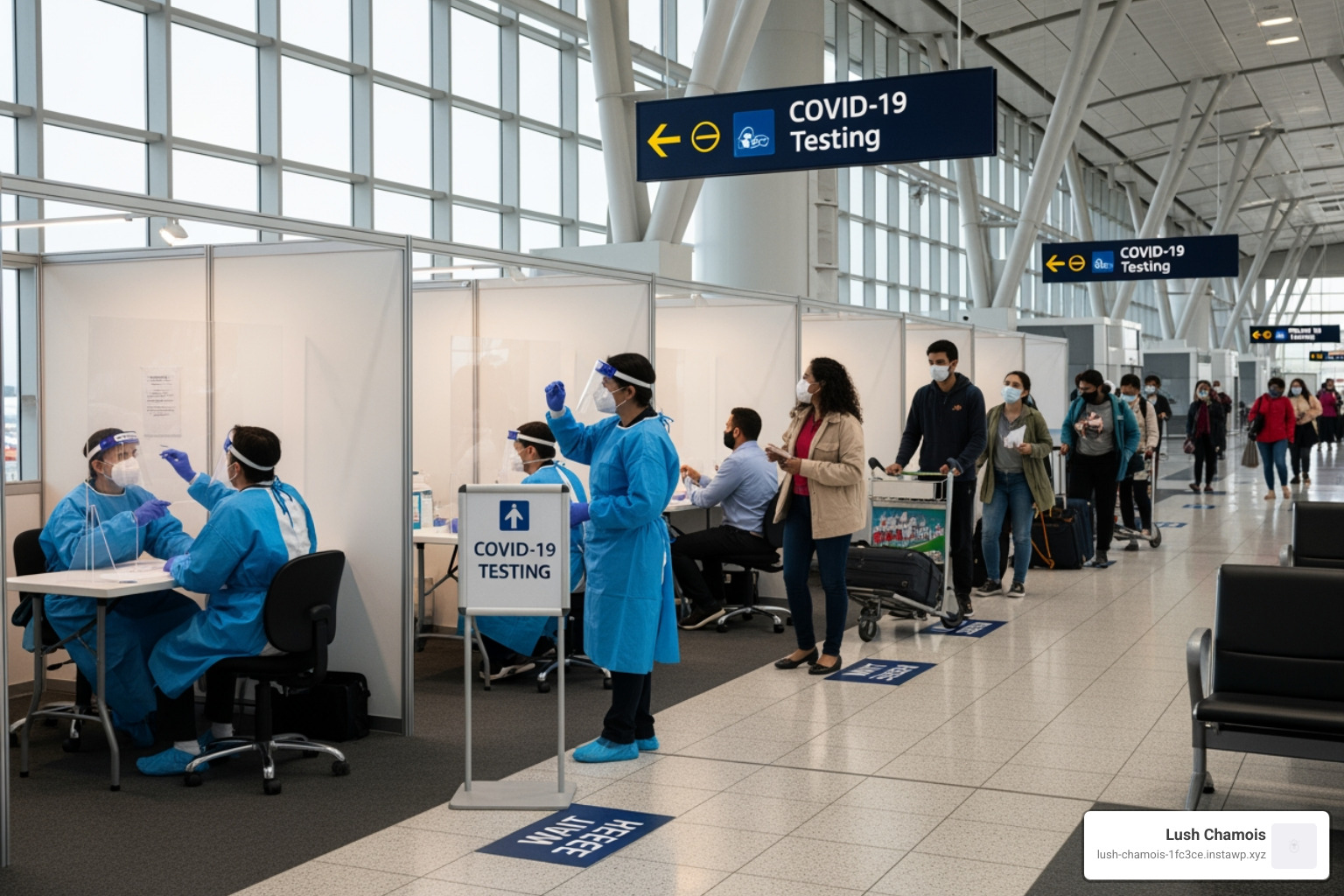
    COVID-19 testing station at an airport - Fit-to-fly certificate

    The COVID-19 pandemic had an unprecedented impact on global air travel, dramatically influencing the demand for Fit-to-Fly certificates. The focus shifted from individual medical conditions to the public health concern of preventing infectious disease transmission. International bodies like the ICAO developed guidelines for health risk mitigation, including passenger medical testing.

    While many stringent COVID-19 travel restrictions have eased, the pandemic highlighted the importance of medical documentation in air travel. It increased awareness among travelers and airlines about the potential need for health certificates, embedding a greater emphasis on passenger health screening for future health crises.

    What COVID-19 tests were required for a Fit-to-Fly Certificate?

    During the pandemic, a Fit-to-Fly certificate often meant a document confirming a negative COVID-19 test. The types of tests and timelines varied by destination and airline.

    • RT-PCR tests: These remain the gold standard for diagnosing active COVID-19. Many countries required a negative RT-PCR test for entry. Lush Chamois offers gold-standard PCR testing services in Quebec and Ontario with official documentation to help Canadians meet these requirements.
    • Rapid antigen tests: Some destinations accepted these tests, which offer quicker results. Lush Chamois also provides virtual rapid antigen testing services as a convenient option for travelers.
    • Testing window: A common requirement was for the test to be performed within a specific window, typically 72 to 96 hours before departure, to ensure the result was current.
    • Proof of recovery: In some cases, travelers who had recently recovered from COVID-19 could present a “recovery certificate” instead of a negative test.

    Although many countries have dropped their COVID-19 testing requirements, it’s crucial for Canadian travelers to check the latest regulations for their destination and airline. Lush Chamois continues to provide reliable COVID-19 PCR and virtual rapid antigen testing. If you need to meet specific travel requirements, you can Schedule a PCR test with us.

    Even with careful planning, issues with a Fit-to-Fly certificate can arise. Understanding the potential consequences is important.

    • Denied boarding: The most immediate consequence of not having a required certificate is being denied boarding by the airline, which has the final say on safety.
    • Travel delays & Financial loss: This can lead to missed connections, rebooking fees, and the loss of non-refundable flight and accommodation costs. Travel insurance may not cover these losses if you haven’t complied with all requirements.
    • Repatriation issues: For international travel, being denied entry to a country could lead to immediate repatriation at your own expense.

    What happens if a certificate is denied?

    If a healthcare professional denies you a Fit-to-Fly certificate, it means they believe air travel poses a significant risk to your health. This usually occurs if your condition is deemed too unstable for travel.

    The doctor’s primary concern is your well-being. If denied, you’ll need to delay your trip until your condition stabilizes. The most common path forward is to work with your medical team to improve your health until your doctor can confidently issue the certificate.

    Commercial Flights vs. Air Ambulances

    It’s important to distinguish between commercial flights and air ambulances when discussing medical travel.

    • Commercial flights: For stable patients who need supervision, a medical escort can be arranged on a commercial flight. A Fit-to-Fly certificate is still essential, as the standard aircraft environment (cabin pressure, limited equipment) remains a factor.
    • Air ambulances: These are essentially “flying ICUs” for critically ill patients. They offer far more flexibility for Fit-to-Fly approvals because they provide a controlled medical environment. Some can even maintain sea-level cabin pressure, which is crucial for patients with altitude-sensitive conditions. This makes travel possible for those who are too unstable for commercial flights.

    While air ambulances are an invaluable service for complex medical transfers, they are a significantly more expensive option. For most Canadian travelers, the focus will be on obtaining the necessary Fit-to-Fly certificate for standard commercial travel.

    Conclusion

    Navigating air travel with medical considerations requires understanding the essential Fit-to-Fly certificate. We’ve covered what it is, who needs it, how to get one, and the specific scenarios that require it, from pregnancy to pre-existing conditions and the lingering impact of the COVID-19 pandemic.

    The key takeaways are clear:

    • Preparation is paramount: Always check airline and destination requirements well in advance.
    • Consult your doctor: If you have a medical condition, are pregnant, or recently had surgery, your healthcare provider is your best resource for assessment and obtaining a Fit-to-Fly certificate.
    • Timeliness matters: Ensure your certificate is current and obtained within the airline’s specified timeframe.
    • Don’t risk it: Travelling without a required certificate can lead to denied boarding and financial loss. Your safety should always come first.

    At Lush Chamois, we understand the importance of stress-free travel. While we don’t issue the Fit-to-Fly certificate itself, we provide convenient and reliable COVID-19 PCR and virtual rapid antigen testing services in Quebec and Ontario, complete with official documentation. Our goal is to offer peace of mind with access to gold-standard and rapid tests when you need them.

    Safe travels are informed travels. Take the necessary steps, get the right documentation, and enjoy your journey.

    Book your travel test today

  • PCR vs. Rapid: Unpacking the World of Fast COVID-19 Testing

    PCR vs. Rapid: Unpacking the World of Fast COVID-19 Testing

    Why Fast Testing Matters When Accuracy Can’t Be Compromised

    Fast PCR testing combines the high accuracy of traditional laboratory PCR tests with rapid turnaround times—delivering reliable results in as little as 39 minutes to a few hours, rather than the typical 1-3 days.

    Quick Answer: What You Need to Know About Fast PCR Testing

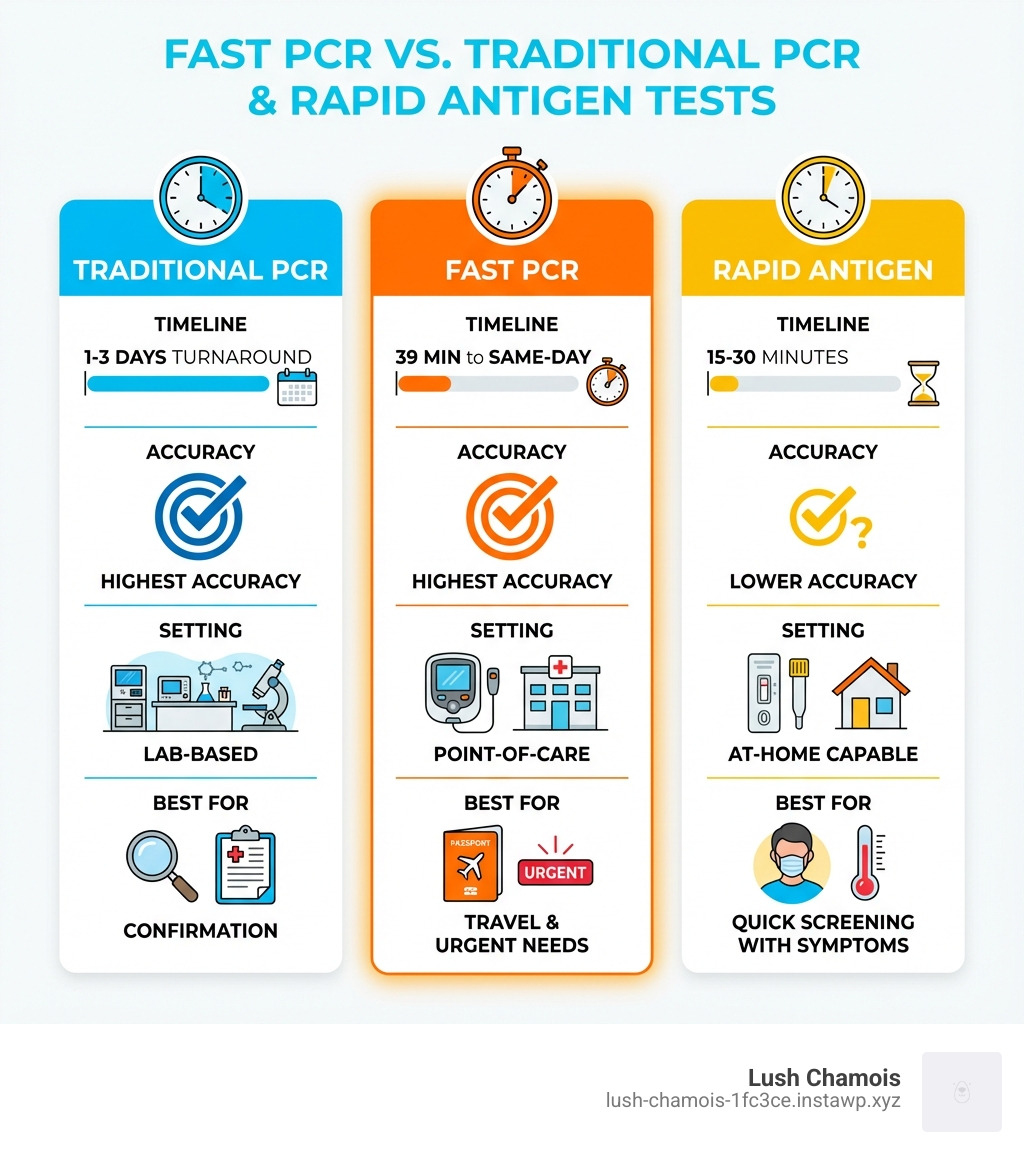
    • Speed: Results in 39 minutes to same-day (vs. 1-3 days for traditional PCR)
    • Accuracy: Same “gold standard” reliability as lab-based PCR tests
    • Technology: Automated point-of-care platforms that don’t require lab transport
    • Best For: Travel documentation, pre-surgery screening, and situations requiring both speed and accuracy
    • Cost: More expensive than rapid antigen tests but faster than traditional PCR

    When you’re standing at the airport and realize your negative test is required for entry, or you need official documentation for a medical procedure, the difference between a 15-minute antigen test and a 3-day lab PCR suddenly matters. A lot.

    The COVID-19 pandemic forced us to steer a confusing landscape of testing options. Traditional PCR tests offered accuracy but required patience. Rapid antigen tests delivered speed but left many travelers rejected at borders due to lower sensitivity. Fast PCR testing emerged as the solution that refuses to compromise.

    By the end of 2020, over 80 million COVID-19 cases had been reported worldwide. This massive testing demand accelerated innovation in diagnostic technology. Companies developed automated platforms that could perform the entire PCR process—from sample preparation to result—without sending anything to a lab.

    For travelers, healthcare workers, and anyone needing official documentation, understanding the differences between these testing methods isn’t just helpful—it’s essential.

    Infographic comparing Fast PCR Testing with Traditional PCR and Rapid Antigen Tests, showing three columns: Traditional PCR (1-3 days turnaround, highest accuracy, lab-based, best for confirmation), Fast PCR (39 minutes to same-day, highest accuracy, point-of-care, best for travel and urgent needs), and Rapid Antigen (15-30 minutes, lower accuracy, at-home capable, best for quick screening with symptoms) - Fast PCR testing infographic

    Understanding the “Gold Standard”: How PCR and Antigen Tests Work

    When it comes to detecting viruses like SARS-CoV-2, the virus responsible for COVID-19, we have a few key tools in our diagnostic arsenal. The two most common types of viral tests are the Polymerase Chain Reaction (PCR) test and the rapid antigen test. While both aim to tell us if we have a current infection, they go about it in fundamentally different ways, influencing their speed, accuracy, and best use cases.

    illustrating the molecular amplification process of PCR - Fast PCR testing

    What is a PCR Test?

    Imagine trying to find a single needle in a haystack, but that needle is microscopic. That’s a bit like what a PCR test does. A PCR test, or Nucleic Acid Amplification Test (NAAT), is considered the “gold standard” for detecting viral infections, including COVID-19. Why “gold standard”? Because of its incredible sensitivity and accuracy. It works by looking for the virus’s specific genetic material – its RNA.

    Here’s the magic: our bodies might only have a tiny amount of viral RNA present, especially early in an infection. PCR technology takes that tiny sample and “amplifies” it, making millions of copies of the target genetic material. This amplification process involves cycles of heating and cooling, with an enzyme called DNA polymerase doing the heavy lifting to copy the DNA. If even a minuscule amount of the virus’s genetic code is present, the PCR test can find it and multiply it until it’s detectable. This means a very low chance for error and high reliability.

    Traditionally, a healthcare professional collects a sample (usually a nasal or throat swab), and this sample is then sent to a specialized lab for processing. Due to the logistics of transport and lab analysis, results for traditional PCR tests typically take anywhere from 1 to 3 days. While highly accurate, this wait time can be a significant drawback when quick decisions are needed.

    What is a Rapid Antigen Test?

    If PCR testing is like finding a microscopic needle, a rapid antigen test is like looking for a much larger, more obvious object in that same haystack. Instead of searching for genetic material, antigen tests look for specific proteins found on the surface of the virus. Think of these proteins as unique flags waving from the virus itself.

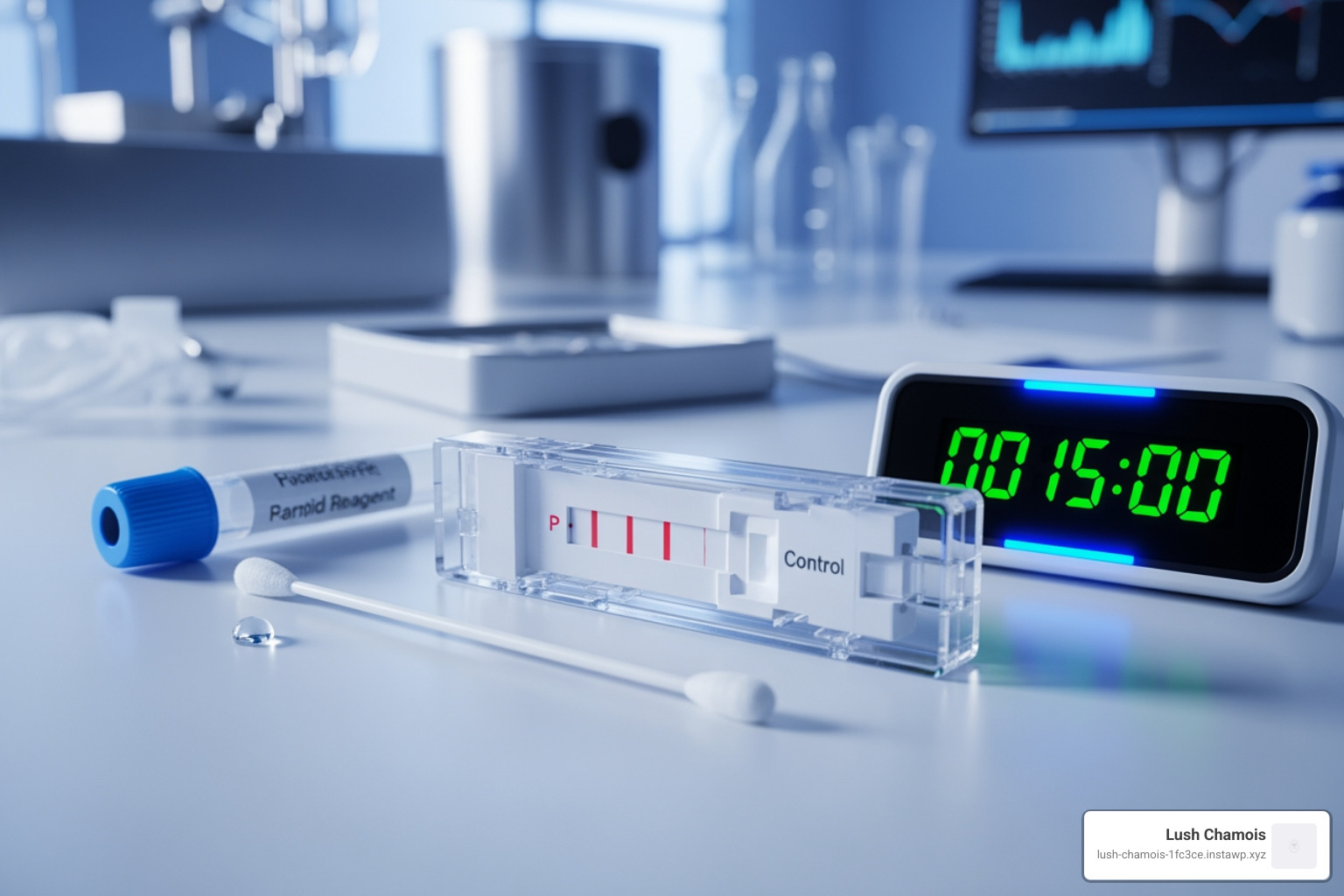
    The biggest advantage of rapid antigen tests is their speed. They can produce a result in as little as 15 to 30 minutes, often right at home or at the point of care. This makes them incredibly convenient for quick screening. However, this speed comes with a trade-off: generally lower sensitivity compared to PCR tests. Antigen tests are most accurate when a person has a high viral load, meaning they have a lot of virus in their system, typically when they are symptomatic.

    For instance, while a positive antigen test result is usually highly accurate and reliable, a negative antigen test doesn’t entirely rule out an infection, especially if you don’t have symptoms. This is why organizations like the FDA recommend repeat testing if you receive a negative antigen result but have symptoms or were exposed. These rapid tests are easy enough to do on your own at home, which helps slow the spread of contagious viruses with their quicker results.

    The Game Changer: The Rise of Fast PCR Testing

    The demand for both speed and accuracy during the pandemic spurred incredible innovation, leading to the development of Fast PCR testing. This isn’t a new type of test, but rather a technological leap that brings the “gold standard” accuracy of PCR to a much faster timeline. It’s like upgrading from a horse-drawn carriage to a high-speed train – same destination, vastly different journey time!

    modern, compact point-of-care PCR machine - Fast PCR testing

    The key to Fast PCR testing lies in rapid molecular tests and automated platforms that can perform the complex PCR process on-site, often referred to as point-of-care testing. This eliminates the need to send samples to a central lab, drastically cutting down on logistical delays and wait times.

    How Fast is Fast PCR Testing?

    This is where Fast PCR testing truly shines. While traditional lab-based PCR tests can leave you waiting 1 to 3 days for results, rapid antigen tests give you an answer in 15-30 minutes, and some rapid molecular tests can provide results in less than 1 hour. But what about the best of both worlds?

    Platforms like Vivalytic exemplify the speed of modern PCR. Our research shows that the Vivalytic rapid PCR test can deliver comprehensive results in just 39 minutes. Other rapid molecular tests are generally available the same day. This speed is a game-changer, allowing for immediate decision-making, whether it’s for travel, urgent medical procedures, or simply peace of mind.

    To put it in perspective:

    • Traditional PCR: 1-3 days
    • Rapid Antigen Test: 15-30 minutes
    • Rapid Molecular (Fast PCR) Test: As little as 39 minutes to same-day

    This significant reduction in turnaround time, while maintaining the high accuracy of PCR, makes Fast PCR testing an invaluable tool in our diagnostic toolkit.

    The Technology Behind the Speed

    So, how do these rapid PCR systems achieve such impressive speeds without compromising accuracy? The secret lies in automation and miniaturization. Traditional PCR involves several manual steps and large laboratory equipment. Fast PCR testing platforms integrate these complex processes into compact, automated devices.

    Here’s a simplified look at the technological steps involved, all happening rapidly within the device:

    1. Sample Preparation: After a nasal or throat swab sample is collected, it’s often introduced into a specialized cartridge.
    2. Cell Lysis: The device uses methods like ultrasound to break open the cells in the sample, releasing the viral genetic material (RNA).
    3. Nucleic Acid Extraction: The viral RNA is then isolated and purified from other cellular components.
    4. DNA Amplification: This is the core PCR step. The RNA is converted to DNA (using reverse transcriptase if it’s an RNA virus like SARS-CoV-2), and then billions of copies of the target DNA are made through rapid heating and cooling cycles.
    5. Bio-analytical Detection: Finally, the amplified genetic material is detected using methods like fluorescent labels, providing a positive or negative result.

    What makes this truly is that these devices, such as the Vivalytic Analyser, perform all these steps fully automatically. This means less hands-on time for healthcare professionals and no need for additional peripheral devices like laptops or barcode scanners. The user-friendly interface means that healthcare professionals with minimal training can reliably perform and evaluate the test, streamlining the entire process from sample to result. This automation and on-site processing make time-consuming logistics chains obsolete, allowing for quick diagnoses that can efficiently identify and stop infection chains.

    Accuracy and Reliability: Which Test Should You Trust?

    When it comes to medical testing, accuracy and reliability are paramount. We want to be confident in our results, especially when they impact our health and the health of those around us. Both PCR and antigen tests have their place, but understanding their differences in precision is crucial.

    The Best Accuracy of PCR

    As we’ve discussed, PCR tests are the “gold standard” for viral detection because of their superior accuracy. They can successfully detect even small amounts of the virus’s genetic material with a very low chance for error. This high sensitivity is why Nucleic Acid Amplification Tests (NAATs), including PCR tests, are more likely to detect the virus than antigen tests. The PCR test is robust and reliable, making it the preferred choice when definitive results are needed. For example, the Vivalytic SARS-CoV-2 rapid PCR test delivers reliable results with high accuracy, reported to be over 95 percent in various laboratory tests.

    However, there’s an interesting nuance to PCR’s high sensitivity: it can sometimes stay positive for weeks after you’ve recovered from an infection. This is because PCR tests are so sensitive that they can detect tiny fragments of viral genetic material, even if the virus is no longer active or able to cause infection. This means a positive PCR test doesn’t always indicate active contagiousness, which can be a consideration in certain scenarios.

    When are Antigen Tests a Good Choice?

    Despite their lower sensitivity compared to PCR, rapid antigen tests are incredibly valuable tools, especially when used strategically. They are an excellent choice for:

    • Symptomatic Individuals: When someone is experiencing symptoms, they typically have a higher viral load. In these cases, antigen tests are quite effective at detecting the virus quickly, providing results in 15-30 minutes. This rapid result allows individuals to isolate promptly, helping to slow the spread of contagious viruses.
    • Quick Screening: For high-volume screening in settings like workplaces, schools, or events, antigen tests offer a fast and accessible way to identify potential cases. When used for screening asymptomatic individuals, serial testing (testing multiple times over a few days) can significantly improve their overall effectiveness.
    • Ease of Use: Many antigen tests are designed for at-home use, making them highly accessible. While user error is always a possibility, closely following directions makes them simple for anyone to use.

    While positive antigen results are generally reliable, a single negative antigen test cannot rule out infection, especially if you have symptoms or have been exposed. Our health authorities, like those in Ontario, emphasize that if you test negative on a rapid antigen test but have symptoms, you should re-test or consider a molecular test. The FDA also provides recommendations for repeat testing with antigen tests to increase confidence in negative results.

    For us, understanding these differences allows us to guide you to the most appropriate testing option for your situation, ensuring you get the right information at the right time.

    Practical Applications and Future Uses

    The advent of Fast PCR testing has opened up a world of possibilities, moving diagnostics beyond the traditional lab setting and into a variety of real-world scenarios where both speed and accuracy are critical.

    The Steps for Getting a Fast PCR Test

    One of the great advantages of modern Fast PCR testing platforms is their streamlined process, making them accessible and efficient. While the underlying technology is complex, the user experience is designed for simplicity.

    Here’s what you can generally expect when undergoing a Fast PCR test:

    1. Sample Collection: A healthcare professional will take a sample, most commonly a nasal or throat swab. This is the same familiar process as traditional PCR or rapid antigen tests.
    2. Sample Processing: The collected swab is then placed into a specialized cartridge or directly into the rapid PCR device. For example, with systems like Vivalytic, the healthcare professional might simply scan a sample code, then a cartridge code, fill the sample into the cartridge, and insert it into the analyser.
    3. Automated Analysis: Once the cartridge is inserted, the machine takes over. It automatically performs all the necessary steps – cell lysis, nucleic acid extraction, DNA amplification, and bio-analytical detection – within a single, integrated system. This automation eliminates the need for manual transfers or specialized lab equipment.
    4. Receiving Results: In a remarkably short period, often within 39 minutes to less than an hour, the device will provide a clear positive or negative result. This rapid turnaround empowers individuals and healthcare providers to make timely decisions.

    This efficient, on-site process is a far cry from the multi-day wait times of traditional lab PCR, making Fast PCR testing ideal for urgent needs.

    Beyond COVID-19: The Future of Rapid Diagnostics

    While COVID-19 certainly accelerated the development and adoption of Fast PCR testing, the technology’s potential extends far beyond a single virus. The ability to quickly and accurately detect genetic material has profound implications for a wide range of diagnostic applications.

    Imagine a future where rapid molecular diagnostics can quickly identify various pathogens and genetic markers at the point of care. This future is already here in many ways:

    • Multiplex Panels: Instead of testing for just one virus, modern rapid molecular tests can use multiplex panels to simultaneously detect multiple respiratory viruses, such as influenza A and B, Respiratory Syncytial Virus (RSV), and SARS-CoV-2, from a single sample. This is incredibly useful during flu season to differentiate between various illnesses with similar symptoms.
    • Detecting Gene Changes: The underlying PCR technology is also used to detect genetic changes, which is crucial for diagnosing various conditions. This includes prenatal testing (e.g., amniocentesis for genetic conditions), preimplantation genetic diagnosis/screening during in vitro fertilization, and even diagnosing genetic mutations in tumor cells via biopsy for cancer patients.
    • Other Infectious Diseases: The rapid detection capabilities can be applied to a multitude of other infectious agents, offering quick identification of bacterial, parasitic, and fungal infections, leading to faster treatment and better patient outcomes.

    The continuous advancements in automation and miniaturization mean that these powerful diagnostic tools are becoming more accessible and capable. This leads to better patient management, more effective public health responses, and a clearer understanding of complex health conditions, all delivered with unprecedented speed.

    In Canada, for example, the provincial governments, such as Ontario, have recognized the value of rapid molecular tests, making them available for eligible individuals alongside traditional PCR. This highlights the growing integration of these advanced, rapid diagnostics into our healthcare system, providing essential services for our communities.

    Conclusion

    The journey through COVID-19 testing has shown us that not all tests are created equal, and the ideal choice often depends on our specific needs. Traditional PCR offers best accuracy but comes with a wait. Rapid antigen tests provide instant answers but with a compromise on sensitivity.

    However, Fast PCR testing has emerged as the true game-changer, skillfully bridging the gap between speed and accuracy. It offers the “gold standard” reliability of PCR with turnaround times as quick as 39 minutes, making it invaluable for critical situations like travel, pre-operative screening, or simply when you need a definitive answer without delay. This innovation, driven by automated, point-of-care technologies, allows us to make informed health decisions faster than ever before.

    Beyond COVID-19, the principles of rapid molecular diagnostics are already changing how we detect a wide array of diseases, promising a future of quicker diagnoses and more effective treatments.

    At Lush Chamois, we understand the importance of both speed and accuracy in your health journey. That’s why we provide convenient and reliable COVID-19 PCR and virtual rapid antigen testing services, backed by Canadian healthcare professionals. We’re here to offer you stress-free access to gold-standard and rapid tests, including official documentation, ensuring you have the information you need, when you need it.

    Ready to experience the difference of reliable and rapid testing? Schedule your reliable PCR test today.

  • Step-by-Step Guide to Testing WordPress AGAIN

    Step-by-Step Guide to Testing WordPress AGAIN

    Why Testing WordPress Matters More Than You Think

    Testing WordPress is essential for ensuring your website can handle real-world traffic without crashing, slowing down, or losing customers. Here’s what you need to know:

    Quick Answer: How to Test WordPress

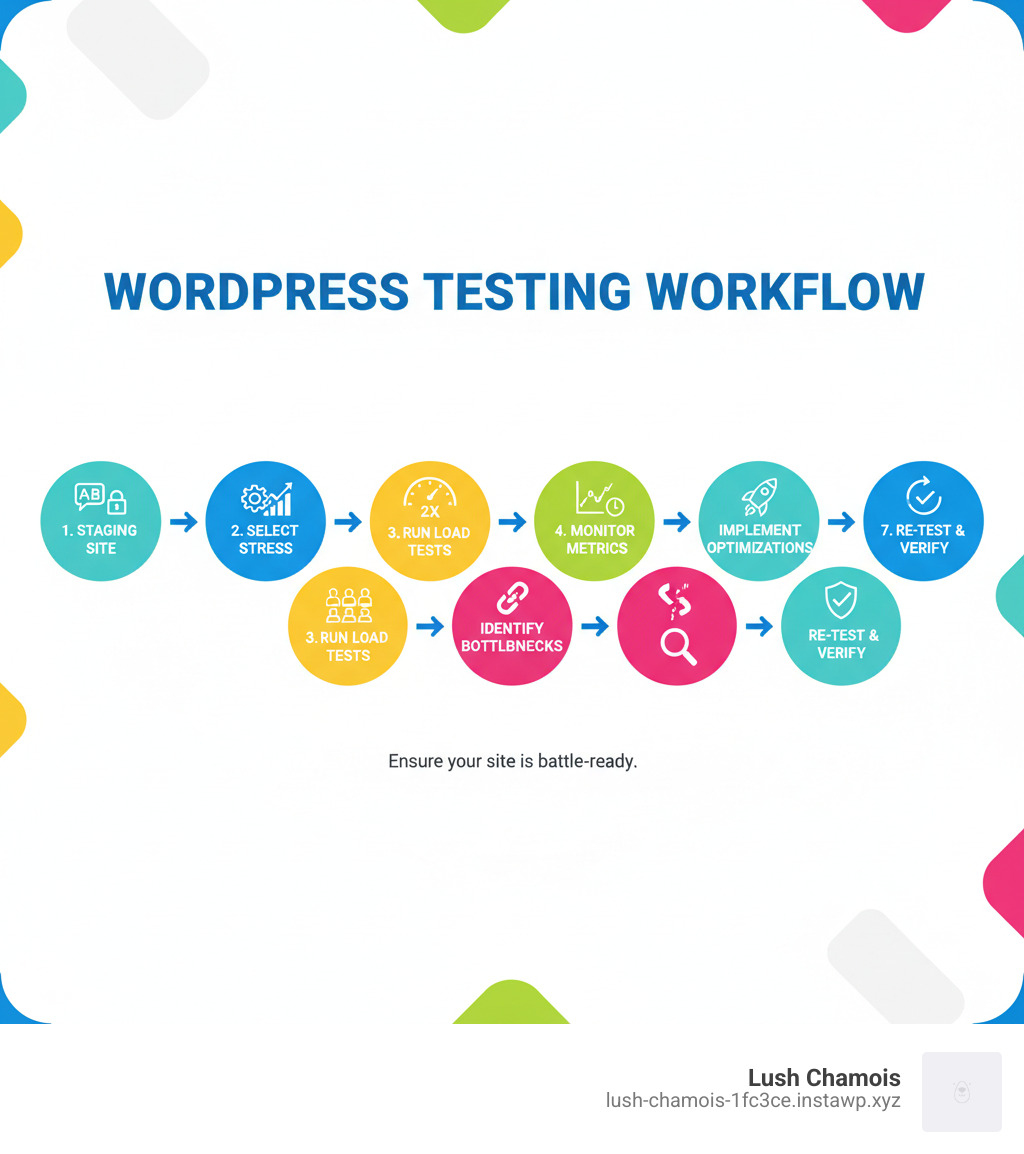
    1. Create a safe testing environment (staging site or backup)
    2. Choose a stress testing tool (like Loader.io, K6, or BlazeMeter)
    3. Run simulated traffic tests starting with 2-3x your normal peak traffic
    4. Analyze results for response times, errors, and bottlenecks
    5. Optimize performance based on identified issues (hosting, caching, plugins)
    6. Test regularly before launches and after major changes

    WordPress powers over 43% of all websites, but many site owners don’t realize their site might be one traffic spike away from disaster. A sudden surge in visitors can cause your site to crash or slow down, leading to lost sales, frustrated customers, and a damaged reputation. These scenarios happen daily to unprepared websites.

    Testing WordPress isn’t just for developers. If you run a business, an online store, or publish content, you need to know how your site performs under pressure. It’s like a fire drill for your website—you prepare before an emergency strikes.

    The good news is that testing is more straightforward than it sounds. You don’t need a computer science degree or expensive tools. With the right approach, you can identify your site’s breaking point, fix vulnerabilities before they hurt your business, and build confidence in your online presence. This guide will walk you through everything you need to know about stress testing WordPress, from preparation to optimization.

    Why Stress Testing Your WordPress Site is Crucial

    When a blog post goes viral or a flash sale takes off, the resulting traffic spike can slow your site to a crawl or crash it completely. That moment of triumph quickly becomes a crisis. This is why testing WordPress under pressure is so critical.

    A stress test simulates what happens when hundreds or thousands of visitors hit your site simultaneously. It differs from a speed test, which measures load time for a single user in ideal conditions. Stress testing is a workout for your website, pushing it to find weaknesses before a real emergency.

    Traffic spikes aren’t always predictable. While you might plan for a marketing campaign, a piece of content could go viral unexpectedly, generating a massive surge in visitors. The consequences of a site that can’t handle this load are severe: lost revenue, frustrated customers, and a damaged brand reputation.

    Stress testing is about more than disaster prevention; it’s about building confidence. Knowing your site can handle high traffic allows you to pursue ambitious marketing goals without fear. A reliable site delivers a consistent experience, which builds customer trust and can indirectly benefit SEO through improved user experience.

    Testing WordPress provides a roadmap for improvement. It helps you find slow plugins, unoptimized images, and whether your hosting plan is sufficient. You identify bottlenecks before they affect customers, allowing you to fix issues proactively.

    Here are the key reasons every WordPress site owner should stress test regularly:

    • Prevent site crashes and downtime during your most important moments
    • Protect your revenue by ensuring customers can always complete transactions
    • Maintain your brand reputation with consistent, reliable performance
    • Prepare for major events like launches, sales, or viral content
    • Understand your hosting limits and upgrade before you need to
    • Identify performance bottlenecks in plugins, themes, or database queries
    • Build confidence in your ability to handle growth and success
    • Improve user experience during peak traffic periods

    The bottom line? Stress testing is proactive protection for your online presence. It’s how you ensure that when your big moment arrives, your website is ready to deliver.

    A Practical Guide to testing wordpress for High Traffic

    This practical guide provides a step-by-step roadmap for testing WordPress the right way.

    Before You Begin: Preparing for testing wordpress

    Proper preparation is essential. Running a stress test on your live website is risky, as it can slow down or crash your site for actual customers. It’s better to find your site’s breaking point in a controlled environment.

    Never test on your live site. This is the golden rule of testing WordPress. Always use a staging environment—a complete clone of your website where you can experiment safely. Many hosting providers offer one-click staging. If yours doesn’t, you can create one with a plugin like Backup Migration.

    Notify your hosting provider before you test, especially on a shared plan. A sudden traffic spike from a test can look like an attack, potentially leading to a temporary account suspension. A quick email to your host can prevent this.

    Even on a staging site, create a full backup first as a safety net. For quick, isolated tests on a specific plugin or theme, a sandbox environment like WordPress Playground is a useful tool that runs a temporary WordPress instance in your browser.

    Choosing and Setting Up Your Stress Testing Tool

    While there are many tools for testing WordPress, we recommend Loader.io for its user-friendly interface and generous free tier, which is sufficient for most small to medium-sized sites.

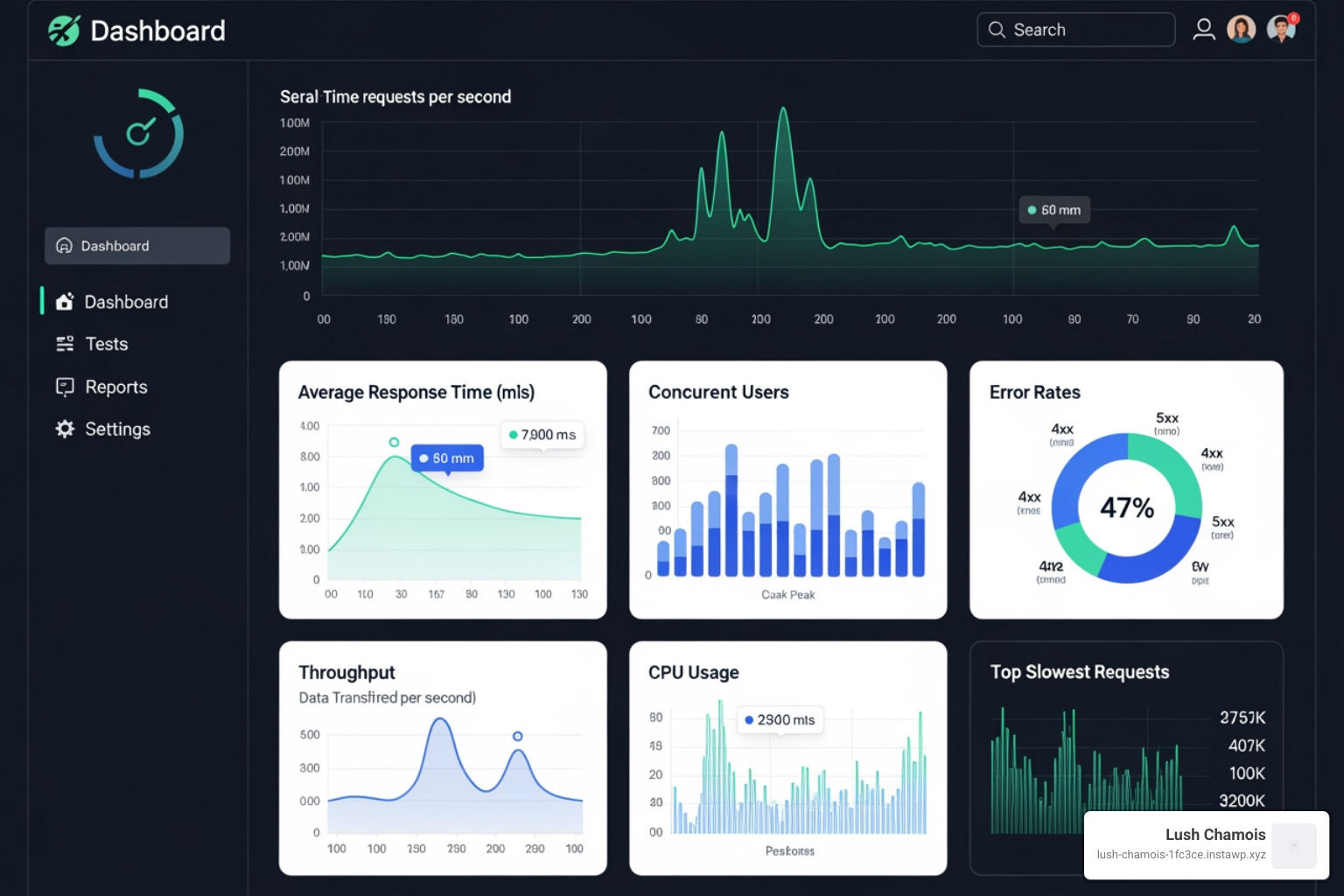
    Loader.io dashboard - testing wordpress

    Loader.io is a cloud-based service that simulates thousands of concurrent visitors to see how your server and WordPress installation hold up under pressure. To get started, go to the Loader.io website and sign up for a free account.

    Once logged in, you must add your website as a host and verify ownership. This is a security measure to prevent unauthorized testing. You can verify by uploading a file to your site’s root directory via FTP or your host’s file manager, or by adding a TXT record to your domain’s DNS settings. Once verified, you are ready to begin testing WordPress.

    Configuring and Running Your Test

    This is where you’ll find what your website can handle.

    Loader.io test configuration screen - testing wordpress

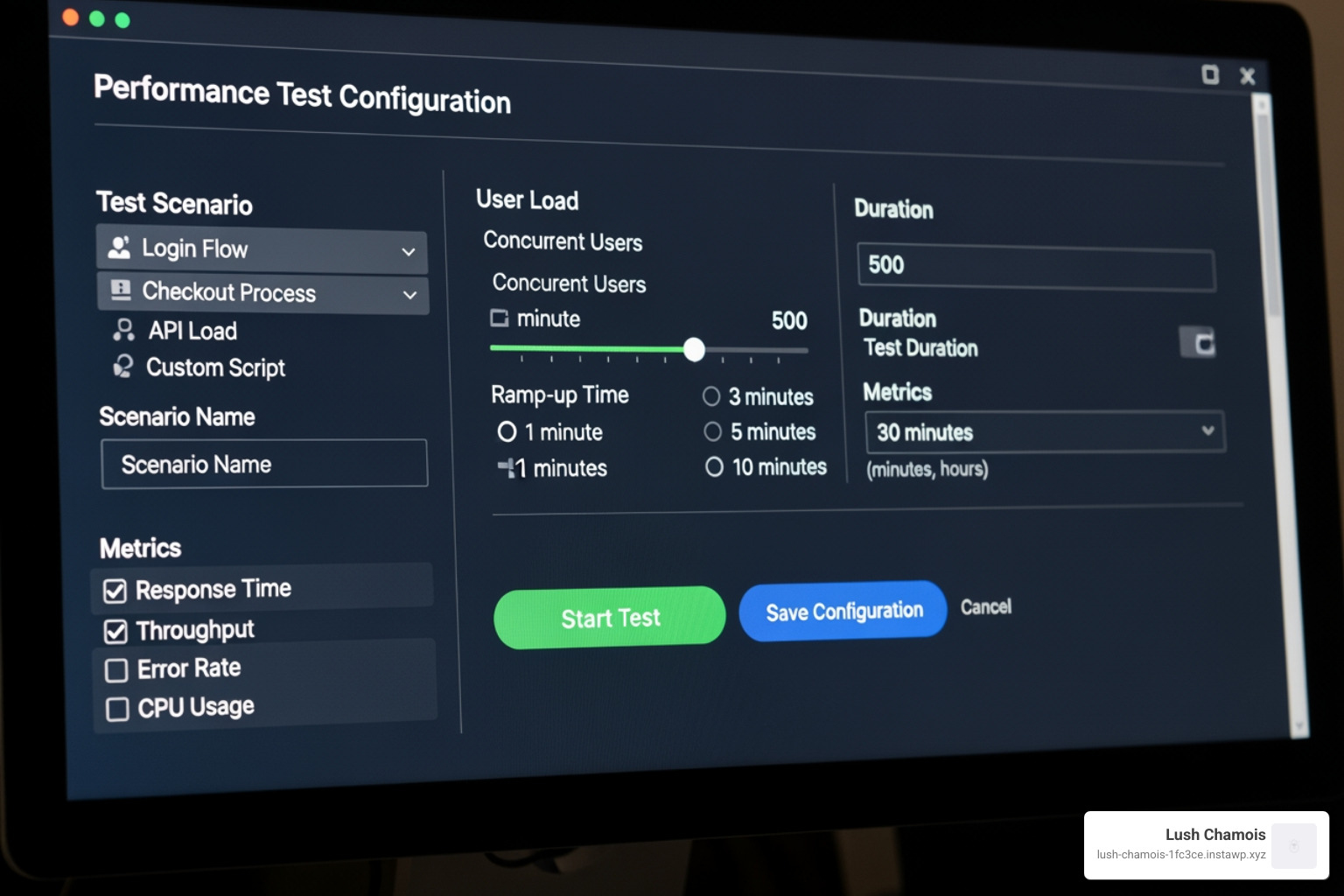
    In your Loader.io dashboard, create a new test and configure the options.

    First, choose a test type. For your initial testing WordPress effort, we recommend Clients per test. This sends a specific number of users over a set duration (e.g., 250 clients over one minute), giving you a clear snapshot of how your site handles a sudden surge. Other options include Clients per second (ramps up traffic) and Maintain client load (keeps a constant number of users).

    Set a duration of one to two minutes for initial tests. This is long enough to gather meaningful data without unnecessarily straining your server.

    Next, determine how many simulated users to test with. Check your website analytics (e.g., Google Analytics) to find your peak traffic. How many concurrent visitors do you have during your busiest hour?

    Start with a conservative load and increase it gradually. For your first test, multiply your peak concurrent visitor number by two or three. If your peak is 50 visitors, start with 100-150 clients. This provides a realistic baseline. In subsequent tests, gradually increase the load (e.g., 200, 300, 500 clients) until you see performance degrade or errors appear. This process reveals your site’s true limits.

    Choose your target URLs carefully. Test the pages most critical to your business, such as your homepage, popular product pages, key blog posts, and transaction pages like contact forms or the checkout flow. Loader.io allows testing multiple URLs to simulate realistic user behavior.

    Once configured, click “Run Test.” Loader.io will send simulated traffic to your staging site, providing real-time data on its performance under stress.

    Interpreting Test Results and Optimizing Performance

    The data from your stress test tells a story about your website’s performance. Learning to read it is the key to optimization.

    Analyzing Your testing wordpress Results

    After a test, Loader.io provides a dashboard of results. Focus on these key metrics:

    Loader.io results graph - testing wordpress

    • Average response time: The average time it takes your server to respond. Under 1,000ms (1 second) is a good target.
    • Maximum response time: The longest response time experienced by a single user. A high number (e.g., over 10 seconds) indicates a severe bottleneck and a poor user experience.
    • Error rate: The percentage of failed requests. This should ideally be 0%. Any errors mean users are hitting dead ends.
    • Timeouts: Requests that the server failed to answer in time. High numbers mean your server is overwhelmed.
    • Requests per second (RPS): Your site’s throughput or stamina. If this number drops as the test progresses, your server is struggling.
    • Bandwidth: The amount of data transferred. This helps you check against your hosting plan’s limits.

    Look for the point where response times spike and errors appear. This is your site’s breaking point—the number of concurrent users where performance degrades significantly.

    From Insights to Action: Fixing Performance Bottlenecks

    A poor stress test result is an opportunity. It shows you what to fix before real customers are affected. Common bottlenecks include:

    • Slow database queries: Under stress, WordPress database queries can become a traffic jam.
    • Unoptimized plugins: Some plugins make excessive database calls or run heavy processes on every page load, causing slowdowns under high traffic.
    • Hosting limitations: Your hosting plan has finite CPU, RAM, and bandwidth. If your site crashes at a user level below your goal, your hosting may be inadequate.
    • Caching issues: Without caching, your server rebuilds every page for every visitor, which is highly inefficient.

    Start by checking the built-in Site Health tool in your WordPress dashboard (Tools > Site Health). It often flags easy-to-fix issues like outdated PHP versions.

    Best Practices for a High-Performance WordPress Site

    Based on your test results, implement these solutions to build a site that can handle success:

    • Use Managed WordPress Hosting: These plans are optimized for WordPress performance. If your current hosting is the bottleneck, upgrading is the most effective fix.
    • Install a Caching Plugin: Caching is non-negotiable. Plugins like WP Rocket or W3 Total Cache create static versions of your pages, drastically reducing server load.
    • Use a Content Delivery Network (CDN): A CDN delivers assets like images and scripts from servers closer to your visitors, speeding up load times and reducing the strain on your main server.
    • Optimize Images: Compress images, use modern formats like WebP, and enable lazy loading. Images are often the largest part of a page.
    • Update Your PHP Version: Newer versions of PHP (like 8.x) are significantly faster. This is often a simple change in your hosting control panel.
    • Remove Unused Plugins and Themes: Deactivated plugins and themes can still consume resources and pose security risks. Delete what you don’t need.
    • Use Debugging for Advanced Issues: For deeper technical problems, enabling WordPress debugging can reveal underlying errors.

    If you’re still facing issues, consider hiring a professional WordPress support service. The goal is resilience—a site that can comfortably handle 3-5 times your expected peak traffic, giving you a buffer for unexpected success.

    Frequently Asked Questions about WordPress Performance Testing

    Here are answers to common questions about testing WordPress performance.

    How often should I stress test my WordPress site?

    Regular stress testing is proactive maintenance. Key times to test include:

    • Before a product launch or major event: Ensure your site can handle the expected traffic from a sale or marketing campaign.
    • After major site updates: Verify that changes to your theme, plugins, or hosting haven’t negatively impacted performance.
    • Seasonally for e-commerce: Test well before predictable traffic spikes like Black Friday or other holidays.
    • Annually as a best practice: Run a yearly checkup to catch performance degradation over time.

    What’s the difference between a stress test and a speed test?

    It’s an important distinction.

    A speed test (using tools like Google PageSpeed Insights) measures how quickly your site loads for a single visitor in ideal conditions. It tells you if your site is fast for one person.

    A stress test, on the other hand, simulates hundreds of concurrent users to find your site’s breaking point. When testing WordPress this way, you’re not measuring speed, but resilience. You’re finding how many users your site can handle before it slows down or crashes.

    Both tests are valuable. A speed test tells you if your site is fast; a stress test tells you if it can handle success.

    Can I run a stress test on a shared hosting plan?

    Yes, but you must be extremely careful. Shared hosting means you share server resources with other websites. A stress test can consume excessive resources, slowing down other sites and potentially triggering an automatic suspension of your account by your host, who may mistake the test for an attack.

    Always inform your hosting provider before running a stress test on a shared plan. Check their terms of service, as some prohibit load testing. They may have specific guidelines or require an upgrade.

    If you are serious about preparing for high traffic, consider upgrading your hosting. Managed WordPress hosting, VPS, or cloud plans provide dedicated resources designed for performance and are better suited for both testing and handling real traffic spikes. Investing in better hosting ensures your site is ready when success arrives.

    Conclusion

    Your WordPress website is the digital heartbeat of your business. Testing WordPress proactively ensures that when a traffic surge hits, you can celebrate success instead of managing a crisis. By following this guide, you’ve learned how to set up a safe testing environment, run tests, and use the results to build a resilient site that won’t let you down. Proactive performance management is the key to a reliable user experience and is achievable for any site owner.

    Think of stress testing as your website’s regular health checkup. Just as you wouldn’t skip important medical tests to catch problems early, your website deserves the same preventive care. Speaking of stress-free testing experiences, that’s exactly what we do at Lush Chamois—we provide convenient, reliable COVID-19 PCR and virtual rapid antigen testing with gold-standard accuracy and official documentation, all backed by Canadian healthcare professionals.

    Building a resilient website takes effort, but the steps we’ve covered provide a solid foundation. Start small, test often, and optimize continuously. Your future self (and your visitors) will thank you.

    For more information about our healthcare testing services and how we make medical testing as stress-free as your website should be, please visit our services page.

  • Step-by-Step Guide to Testing WordPress

    Step-by-Step Guide to Testing WordPress

    Why Testing WordPress Matters More Than You Think

    Testing WordPress is essential for ensuring your website can handle real-world traffic without crashing, slowing down, or losing customers. Here’s what you need to know:

    Quick Answer: How to Test WordPress

    1. Create a safe testing environment (staging site or backup)
    2. Choose a stress testing tool (like Loader.io, K6, or BlazeMeter)
    3. Run simulated traffic tests starting with 2-3x your normal peak traffic
    4. Analyze results for response times, errors, and bottlenecks
    5. Optimize performance based on identified issues (hosting, caching, plugins)
    6. Test regularly before launches and after major changes

    WordPress powers over 43% of all websites, but many site owners don’t realize their site might be one traffic spike away from disaster. A sudden surge in visitors can cause your site to crash or slow down, leading to lost sales, frustrated customers, and a damaged reputation. These scenarios happen daily to unprepared websites.

    Testing WordPress isn’t just for developers. If you run a business, an online store, or publish content, you need to know how your site performs under pressure. It’s like a fire drill for your website—you prepare before an emergency strikes.

    The good news is that testing is more straightforward than it sounds. You don’t need a computer science degree or expensive tools. With the right approach, you can identify your site’s breaking point, fix vulnerabilities before they hurt your business, and build confidence in your online presence. This guide will walk you through everything you need to know about stress testing WordPress, from preparation to optimization.

    Why Stress Testing Your WordPress Site is Crucial

    When a blog post goes viral or a flash sale takes off, the resulting traffic spike can slow your site to a crawl or crash it completely. That moment of triumph quickly becomes a crisis. This is why testing WordPress under pressure is so critical.

    A stress test simulates what happens when hundreds or thousands of visitors hit your site simultaneously. It differs from a speed test, which measures load time for a single user in ideal conditions. Stress testing is a workout for your website, pushing it to find weaknesses before a real emergency.

    Traffic spikes aren’t always predictable. While you might plan for a marketing campaign, a piece of content could go viral unexpectedly, generating a massive surge in visitors. The consequences of a site that can’t handle this load are severe: lost revenue, frustrated customers, and a damaged brand reputation.

    Stress testing is about more than disaster prevention; it’s about building confidence. Knowing your site can handle high traffic allows you to pursue ambitious marketing goals without fear. A reliable site delivers a consistent experience, which builds customer trust and can indirectly benefit SEO through improved user experience.

    Testing WordPress provides a roadmap for improvement. It helps you find slow plugins, unoptimized images, and whether your hosting plan is sufficient. You identify bottlenecks before they affect customers, allowing you to fix issues proactively.

    Here are the key reasons every WordPress site owner should stress test regularly:

    • Prevent site crashes and downtime during your most important moments
    • Protect your revenue by ensuring customers can always complete transactions
    • Maintain your brand reputation with consistent, reliable performance
    • Prepare for major events like launches, sales, or viral content
    • Understand your hosting limits and upgrade before you need to
    • Identify performance bottlenecks in plugins, themes, or database queries
    • Build confidence in your ability to handle growth and success
    • Improve user experience during peak traffic periods

    The bottom line? Stress testing is proactive protection for your online presence. It’s how you ensure that when your big moment arrives, your website is ready to deliver.

    A Practical Guide to testing wordpress for High Traffic

    This practical guide provides a step-by-step roadmap for testing WordPress the right way.

    Before You Begin: Preparing for testing wordpress

    Proper preparation is essential. Running a stress test on your live website is risky, as it can slow down or crash your site for actual customers. It’s better to find your site’s breaking point in a controlled environment.

    Never test on your live site. This is the golden rule of testing WordPress. Always use a staging environment—a complete clone of your website where you can experiment safely. Many hosting providers offer one-click staging. If yours doesn’t, you can create one with a plugin like Backup Migration.

    Notify your hosting provider before you test, especially on a shared plan. A sudden traffic spike from a test can look like an attack, potentially leading to a temporary account suspension. A quick email to your host can prevent this.

    Even on a staging site, create a full backup first as a safety net. For quick, isolated tests on a specific plugin or theme, a sandbox environment like WordPress Playground is a useful tool that runs a temporary WordPress instance in your browser.

    Choosing and Setting Up Your Stress Testing Tool

    While there are many tools for testing WordPress, we recommend Loader.io for its user-friendly interface and generous free tier, which is sufficient for most small to medium-sized sites.

    Loader.io dashboard - testing wordpress

    Loader.io is a cloud-based service that simulates thousands of concurrent visitors to see how your server and WordPress installation hold up under pressure. To get started, go to the Loader.io website and sign up for a free account.

    Once logged in, you must add your website as a host and verify ownership. This is a security measure to prevent unauthorized testing. You can verify by uploading a file to your site’s root directory via FTP or your host’s file manager, or by adding a TXT record to your domain’s DNS settings. Once verified, you are ready to begin testing WordPress.

    Configuring and Running Your Test

    This is where you’ll find what your website can handle.

    Loader.io test configuration screen - testing wordpress

    In your Loader.io dashboard, create a new test and configure the options.

    First, choose a test type. For your initial testing WordPress effort, we recommend Clients per test. This sends a specific number of users over a set duration (e.g., 250 clients over one minute), giving you a clear snapshot of how your site handles a sudden surge. Other options include Clients per second (ramps up traffic) and Maintain client load (keeps a constant number of users).

    Set a duration of one to two minutes for initial tests. This is long enough to gather meaningful data without unnecessarily straining your server.

    Next, determine how many simulated users to test with. Check your website analytics (e.g., Google Analytics) to find your peak traffic. How many concurrent visitors do you have during your busiest hour?

    Start with a conservative load and increase it gradually. For your first test, multiply your peak concurrent visitor number by two or three. If your peak is 50 visitors, start with 100-150 clients. This provides a realistic baseline. In subsequent tests, gradually increase the load (e.g., 200, 300, 500 clients) until you see performance degrade or errors appear. This process reveals your site’s true limits.

    Choose your target URLs carefully. Test the pages most critical to your business, such as your homepage, popular product pages, key blog posts, and transaction pages like contact forms or the checkout flow. Loader.io allows testing multiple URLs to simulate realistic user behavior.

    Once configured, click “Run Test.” Loader.io will send simulated traffic to your staging site, providing real-time data on its performance under stress.

    Interpreting Test Results and Optimizing Performance

    The data from your stress test tells a story about your website’s performance. Learning to read it is the key to optimization.

    Analyzing Your testing wordpress Results

    After a test, Loader.io provides a dashboard of results. Focus on these key metrics:

    Loader.io results graph - testing wordpress

    • Average response time: The average time it takes your server to respond. Under 1,000ms (1 second) is a good target.
    • Maximum response time: The longest response time experienced by a single user. A high number (e.g., over 10 seconds) indicates a severe bottleneck and a poor user experience.
    • Error rate: The percentage of failed requests. This should ideally be 0%. Any errors mean users are hitting dead ends.
    • Timeouts: Requests that the server failed to answer in time. High numbers mean your server is overwhelmed.
    • Requests per second (RPS): Your site’s throughput or stamina. If this number drops as the test progresses, your server is struggling.
    • Bandwidth: The amount of data transferred. This helps you check against your hosting plan’s limits.

    Look for the point where response times spike and errors appear. This is your site’s breaking point—the number of concurrent users where performance degrades significantly.

    From Insights to Action: Fixing Performance Bottlenecks

    A poor stress test result is an opportunity. It shows you what to fix before real customers are affected. Common bottlenecks include:

    • Slow database queries: Under stress, WordPress database queries can become a traffic jam.
    • Unoptimized plugins: Some plugins make excessive database calls or run heavy processes on every page load, causing slowdowns under high traffic.
    • Hosting limitations: Your hosting plan has finite CPU, RAM, and bandwidth. If your site crashes at a user level below your goal, your hosting may be inadequate.
    • Caching issues: Without caching, your server rebuilds every page for every visitor, which is highly inefficient.

    Start by checking the built-in Site Health tool in your WordPress dashboard (Tools > Site Health). It often flags easy-to-fix issues like outdated PHP versions.

    Best Practices for a High-Performance WordPress Site

    Based on your test results, implement these solutions to build a site that can handle success:

    • Use Managed WordPress Hosting: These plans are optimized for WordPress performance. If your current hosting is the bottleneck, upgrading is the most effective fix.
    • Install a Caching Plugin: Caching is non-negotiable. Plugins like WP Rocket or W3 Total Cache create static versions of your pages, drastically reducing server load.
    • Use a Content Delivery Network (CDN): A CDN delivers assets like images and scripts from servers closer to your visitors, speeding up load times and reducing the strain on your main server.
    • Optimize Images: Compress images, use modern formats like WebP, and enable lazy loading. Images are often the largest part of a page.
    • Update Your PHP Version: Newer versions of PHP (like 8.x) are significantly faster. This is often a simple change in your hosting control panel.
    • Remove Unused Plugins and Themes: Deactivated plugins and themes can still consume resources and pose security risks. Delete what you don’t need.
    • Use Debugging for Advanced Issues: For deeper technical problems, enabling WordPress debugging can reveal underlying errors.

    If you’re still facing issues, consider hiring a professional WordPress support service. The goal is resilience—a site that can comfortably handle 3-5 times your expected peak traffic, giving you a buffer for unexpected success.

    Frequently Asked Questions about WordPress Performance Testing

    Here are answers to common questions about testing WordPress performance.

    How often should I stress test my WordPress site?

    Regular stress testing is proactive maintenance. Key times to test include:

    • Before a product launch or major event: Ensure your site can handle the expected traffic from a sale or marketing campaign.
    • After major site updates: Verify that changes to your theme, plugins, or hosting haven’t negatively impacted performance.
    • Seasonally for e-commerce: Test well before predictable traffic spikes like Black Friday or other holidays.
    • Annually as a best practice: Run a yearly checkup to catch performance degradation over time.

    What’s the difference between a stress test and a speed test?

    It’s an important distinction.

    A speed test (using tools like Google PageSpeed Insights) measures how quickly your site loads for a single visitor in ideal conditions. It tells you if your site is fast for one person.

    A stress test, on the other hand, simulates hundreds of concurrent users to find your site’s breaking point. When testing WordPress this way, you’re not measuring speed, but resilience. You’re finding how many users your site can handle before it slows down or crashes.

    Both tests are valuable. A speed test tells you if your site is fast; a stress test tells you if it can handle success.

    Can I run a stress test on a shared hosting plan?

    Yes, but you must be extremely careful. Shared hosting means you share server resources with other websites. A stress test can consume excessive resources, slowing down other sites and potentially triggering an automatic suspension of your account by your host, who may mistake the test for an attack.

    Always inform your hosting provider before running a stress test on a shared plan. Check their terms of service, as some prohibit load testing. They may have specific guidelines or require an upgrade.

    If you are serious about preparing for high traffic, consider upgrading your hosting. Managed WordPress hosting, VPS, or cloud plans provide dedicated resources designed for performance and are better suited for both testing and handling real traffic spikes. Investing in better hosting ensures your site is ready when success arrives.

    Conclusion

    Your WordPress website is the digital heartbeat of your business. Testing WordPress proactively ensures that when a traffic surge hits, you can celebrate success instead of managing a crisis. By following this guide, you’ve learned how to set up a safe testing environment, run tests, and use the results to build a resilient site that won’t let you down. Proactive performance management is the key to a reliable user experience and is achievable for any site owner.

    Think of stress testing as your website’s regular health checkup. Just as you wouldn’t skip important medical tests to catch problems early, your website deserves the same preventive care. Speaking of stress-free testing experiences, that’s exactly what we do at Lush Chamois—we provide convenient, reliable COVID-19 PCR and virtual rapid antigen testing with gold-standard accuracy and official documentation, all backed by Canadian healthcare professionals.

    Building a resilient website takes effort, but the steps we’ve covered provide a solid foundation. Start small, test often, and optimize continuously. Your future self (and your visitors) will thank you.

    For more information about our healthcare testing services and how we make medical testing as stress-free as your website should be, please visit our services page.

  • Step-by-Step Guide to Testing WordPress

    Step-by-Step Guide to Testing WordPress

    Why Testing WordPress Matters More Than You Think

    Testing WordPress is essential for ensuring your website can handle real-world traffic without crashing, slowing down, or losing customers. Here’s what you need to know:

    Quick Answer: How to Test WordPress

    1. Create a safe testing environment (staging site or backup)
    2. Choose a stress testing tool (like Loader.io, K6, or BlazeMeter)
    3. Run simulated traffic tests starting with 2-3x your normal peak traffic
    4. Analyze results for response times, errors, and bottlenecks
    5. Optimize performance based on identified issues (hosting, caching, plugins)
    6. Test regularly before launches and after major changes

    WordPress powers over 43% of all websites, but many site owners don’t realize their site might be one traffic spike away from disaster. A sudden surge in visitors can cause your site to crash or slow down, leading to lost sales, frustrated customers, and a damaged reputation. These scenarios happen daily to unprepared websites.

    Testing WordPress isn’t just for developers. If you run a business, an online store, or publish content, you need to know how your site performs under pressure. It’s like a fire drill for your website—you prepare before an emergency strikes.

    The good news is that testing is more straightforward than it sounds. You don’t need a computer science degree or expensive tools. With the right approach, you can identify your site’s breaking point, fix vulnerabilities before they hurt your business, and build confidence in your online presence. This guide will walk you through everything you need to know about stress testing WordPress, from preparation to optimization.

    Infographic showing the complete WordPress testing workflow: 1) Set up safe testing environment with staging site, 2) Select and configure stress testing tool, 3) Run progressive load tests starting at 2x peak traffic, 4) Monitor key metrics including response time and error rates, 5) Identify bottlenecks in hosting, plugins, or database, 6) Implement optimizations like caching and CDN, 7) Re-test to verify improvements - testing wordpress infographic

    Why Stress Testing Your WordPress Site is Crucial

    When a blog post goes viral or a flash sale takes off, the resulting traffic spike can slow your site to a crawl or crash it completely. That moment of triumph quickly becomes a crisis. This is why testing WordPress under pressure is so critical.

    A stress test simulates what happens when hundreds or thousands of visitors hit your site simultaneously. It differs from a speed test, which measures load time for a single user in ideal conditions. Stress testing is a workout for your website, pushing it to find weaknesses before a real emergency.

    Traffic spikes aren’t always predictable. While you might plan for a marketing campaign, a piece of content could go viral unexpectedly, generating a massive surge in visitors. The consequences of a site that can’t handle this load are severe: lost revenue, frustrated customers, and a damaged brand reputation.

    Stress testing is about more than disaster prevention; it’s about building confidence. Knowing your site can handle high traffic allows you to pursue ambitious marketing goals without fear. A reliable site delivers a consistent experience, which builds customer trust and can indirectly benefit SEO through improved user experience.

    Testing WordPress provides a roadmap for improvement. It helps you find slow plugins, unoptimized images, and whether your hosting plan is sufficient. You identify bottlenecks before they affect customers, allowing you to fix issues proactively.

    Here are the key reasons every WordPress site owner should stress test regularly:

    • Prevent site crashes and downtime during your most important moments
    • Protect your revenue by ensuring customers can always complete transactions
    • Maintain your brand reputation with consistent, reliable performance
    • Prepare for major events like launches, sales, or viral content
    • Understand your hosting limits and upgrade before you need to
    • Identify performance bottlenecks in plugins, themes, or database queries
    • Build confidence in your ability to handle growth and success
    • Improve user experience during peak traffic periods

    The bottom line? Stress testing is proactive protection for your online presence. It’s how you ensure that when your big moment arrives, your website is ready to deliver.

    A Practical Guide to testing wordpress for High Traffic

    This practical guide provides a step-by-step roadmap for testing WordPress the right way.

    Before You Begin: Preparing for testing wordpress

    Proper preparation is essential. Running a stress test on your live website is risky, as it can slow down or crash your site for actual customers. It’s better to find your site’s breaking point in a controlled environment.

    Never test on your live site. This is the golden rule of testing WordPress. Always use a staging environment—a complete clone of your website where you can experiment safely. Many hosting providers offer one-click staging. If yours doesn’t, you can create one with a plugin like Backup Migration.

    Notify your hosting provider before you test, especially on a shared plan. A sudden traffic spike from a test can look like an attack, potentially leading to a temporary account suspension. A quick email to your host can prevent this.

    Even on a staging site, create a full backup first as a safety net. For quick, isolated tests on a specific plugin or theme, a sandbox environment like WordPress Playground is a useful tool that runs a temporary WordPress instance in your browser.

    Choosing and Setting Up Your Stress Testing Tool

    While there are many tools for testing WordPress, we recommend Loader.io for its user-friendly interface and generous free tier, which is sufficient for most small to medium-sized sites.

    Loader.io dashboard - testing wordpress

    Loader.io is a cloud-based service that simulates thousands of concurrent visitors to see how your server and WordPress installation hold up under pressure. To get started, go to the Loader.io website and sign up for a free account.

    Once logged in, you must add your website as a host and verify ownership. This is a security measure to prevent unauthorized testing. You can verify by uploading a file to your site’s root directory via FTP or your host’s file manager, or by adding a TXT record to your domain’s DNS settings. Once verified, you are ready to begin testing WordPress.

    Configuring and Running Your Test

    This is where you’ll find what your website can handle.

    Loader.io test configuration screen - testing wordpress

    In your Loader.io dashboard, create a new test and configure the options.

    First, choose a test type. For your initial testing WordPress effort, we recommend Clients per test. This sends a specific number of users over a set duration (e.g., 250 clients over one minute), giving you a clear snapshot of how your site handles a sudden surge. Other options include Clients per second (ramps up traffic) and Maintain client load (keeps a constant number of users).

    Set a duration of one to two minutes for initial tests. This is long enough to gather meaningful data without unnecessarily straining your server.

    Next, determine how many simulated users to test with. Check your website analytics (e.g., Google Analytics) to find your peak traffic. How many concurrent visitors do you have during your busiest hour?

    Start with a conservative load and increase it gradually. For your first test, multiply your peak concurrent visitor number by two or three. If your peak is 50 visitors, start with 100-150 clients. This provides a realistic baseline. In subsequent tests, gradually increase the load (e.g., 200, 300, 500 clients) until you see performance degrade or errors appear. This process reveals your site’s true limits.

    Choose your target URLs carefully. Test the pages most critical to your business, such as your homepage, popular product pages, key blog posts, and transaction pages like contact forms or the checkout flow. Loader.io allows testing multiple URLs to simulate realistic user behavior.

    Once configured, click “Run Test.” Loader.io will send simulated traffic to your staging site, providing real-time data on its performance under stress.

    Interpreting Test Results and Optimizing Performance

    The data from your stress test tells a story about your website’s performance. Learning to read it is the key to optimization.

    Analyzing Your testing wordpress Results

    After a test, Loader.io provides a dashboard of results. Focus on these key metrics:

    Loader.io results graph - testing wordpress

    • Average response time: The average time it takes your server to respond. Under 1,000ms (1 second) is a good target.
    • Maximum response time: The longest response time experienced by a single user. A high number (e.g., over 10 seconds) indicates a severe bottleneck and a poor user experience.
    • Error rate: The percentage of failed requests. This should ideally be 0%. Any errors mean users are hitting dead ends.
    • Timeouts: Requests that the server failed to answer in time. High numbers mean your server is overwhelmed.
    • Requests per second (RPS): Your site’s throughput or stamina. If this number drops as the test progresses, your server is struggling.
    • Bandwidth: The amount of data transferred. This helps you check against your hosting plan’s limits.

    Look for the point where response times spike and errors appear. This is your site’s breaking point—the number of concurrent users where performance degrades significantly.

    From Insights to Action: Fixing Performance Bottlenecks

    A poor stress test result is an opportunity. It shows you what to fix before real customers are affected. Common bottlenecks include:

    • Slow database queries: Under stress, WordPress database queries can become a traffic jam.
    • Unoptimized plugins: Some plugins make excessive database calls or run heavy processes on every page load, causing slowdowns under high traffic.
    • Hosting limitations: Your hosting plan has finite CPU, RAM, and bandwidth. If your site crashes at a user level below your goal, your hosting may be inadequate.
    • Caching issues: Without caching, your server rebuilds every page for every visitor, which is highly inefficient.

    Start by checking the built-in Site Health tool in your WordPress dashboard (Tools > Site Health). It often flags easy-to-fix issues like outdated PHP versions.

    Best Practices for a High-Performance WordPress Site

    Based on your test results, implement these solutions to build a site that can handle success:

    • Use Managed WordPress Hosting: These plans are optimized for WordPress performance. If your current hosting is the bottleneck, upgrading is the most effective fix.
    • Install a Caching Plugin: Caching is non-negotiable. Plugins like WP Rocket or W3 Total Cache create static versions of your pages, drastically reducing server load.
    • Use a Content Delivery Network (CDN): A CDN delivers assets like images and scripts from servers closer to your visitors, speeding up load times and reducing the strain on your main server.
    • Optimize Images: Compress images, use modern formats like WebP, and enable lazy loading. Images are often the largest part of a page.
    • Update Your PHP Version: Newer versions of PHP (like 8.x) are significantly faster. This is often a simple change in your hosting control panel.
    • Remove Unused Plugins and Themes: Deactivated plugins and themes can still consume resources and pose security risks. Delete what you don’t need.
    • Use Debugging for Advanced Issues: For deeper technical problems, enabling WordPress debugging can reveal underlying errors.

    If you’re still facing issues, consider hiring a professional WordPress support service. The goal is resilience—a site that can comfortably handle 3-5 times your expected peak traffic, giving you a buffer for unexpected success.

    Frequently Asked Questions about WordPress Performance Testing

    Here are answers to common questions about testing WordPress performance.

    How often should I stress test my WordPress site?

    Regular stress testing is proactive maintenance. Key times to test include:

    • Before a product launch or major event: Ensure your site can handle the expected traffic from a sale or marketing campaign.
    • After major site updates: Verify that changes to your theme, plugins, or hosting haven’t negatively impacted performance.
    • Seasonally for e-commerce: Test well before predictable traffic spikes like Black Friday or other holidays.
    • Annually as a best practice: Run a yearly checkup to catch performance degradation over time.

    What’s the difference between a stress test and a speed test?

    It’s an important distinction.

    A speed test (using tools like Google PageSpeed Insights) measures how quickly your site loads for a single visitor in ideal conditions. It tells you if your site is fast for one person.

    A stress test, on the other hand, simulates hundreds of concurrent users to find your site’s breaking point. When testing WordPress this way, you’re not measuring speed, but resilience. You’re finding how many users your site can handle before it slows down or crashes.

    Both tests are valuable. A speed test tells you if your site is fast; a stress test tells you if it can handle success.

    Can I run a stress test on a shared hosting plan?

    Yes, but you must be extremely careful. Shared hosting means you share server resources with other websites. A stress test can consume excessive resources, slowing down other sites and potentially triggering an automatic suspension of your account by your host, who may mistake the test for an attack.

    Always inform your hosting provider before running a stress test on a shared plan. Check their terms of service, as some prohibit load testing. They may have specific guidelines or require an upgrade.

    If you are serious about preparing for high traffic, consider upgrading your hosting. Managed WordPress hosting, VPS, or cloud plans provide dedicated resources designed for performance and are better suited for both testing and handling real traffic spikes. Investing in better hosting ensures your site is ready when success arrives.

    Conclusion

    Your WordPress website is the digital heartbeat of your business. Testing WordPress proactively ensures that when a traffic surge hits, you can celebrate success instead of managing a crisis. By following this guide, you’ve learned how to set up a safe testing environment, run tests, and use the results to build a resilient site that won’t let you down. Proactive performance management is the key to a reliable user experience and is achievable for any site owner.

    Think of stress testing as your website’s regular health checkup. Just as you wouldn’t skip important medical tests to catch problems early, your website deserves the same preventive care. Speaking of stress-free testing experiences, that’s exactly what we do at Lush Chamois—we provide convenient, reliable COVID-19 PCR and virtual rapid antigen testing with gold-standard accuracy and official documentation, all backed by Canadian healthcare professionals.

    Building a resilient website takes effort, but the steps we’ve covered provide a solid foundation. Start small, test often, and optimize continuously. Your future self (and your visitors) will thank you.

    For more information about our healthcare testing services and how we make medical testing as stress-free as your website should be, please visit our services page.

  • How to Schedule a PCR Test, Even if You’ve Never Done It Before

    How to Schedule a PCR Test, Even if You’ve Never Done It Before

    Why Scheduling a PCR Test Doesn’t Have to Be Complicated

    If you need to schedule a PCR test, here’s the quick answer:

    1. Determine if you need a PCR test (symptoms, travel, exposure, or healthcare requirements)
    2. Find a testing location through your local health authority, pharmacy, or private clinic
    3. Book an appointment online (via platforms like Clic Santé) or by phone
    4. Get tested with a nasal or throat swab
    5. Receive results within 24-48 hours, typically via email

    The COVID-19 pandemic changed how we think about testing. Whether you’re preparing for international travel, experiencing symptoms, or need a test before a medical procedure, knowing how to schedule a PCR test is a practical skill.

    PCR tests are the gold standard for COVID-19 detection. They use molecular technology to identify the virus’s genetic material with high accuracy. Unlike rapid antigen tests that give results in 15 minutes, PCR tests require lab analysis but are more reliable—especially when you’re asymptomatic.

    The process is simpler than most people think. You don’t need medical knowledge or special preparation. Most testing locations offer same-day or next-day appointments. Some even provide home visits if you can’t travel to a clinic.

    The key is understanding where to go and what information you’ll need. Different regions have different booking systems. Some require symptoms for free testing, while others offer paid testing for travel purposes. Private clinics typically charge around $195, while public health centers may offer free tests for eligible individuals.

    This guide walks you through every step, from deciding if you need a PCR test to interpreting your results.

    infographic showing PCR test vs rapid antigen test comparison: PCR test uses lab analysis of genetic material, takes 24-48 hours, highly accurate for symptomatic and asymptomatic cases, requires nasal or throat swab; Rapid antigen test detects viral proteins, gives results in 15 minutes, less sensitive especially when asymptomatic, may need confirmation with PCR test - schedule pcr test infographic

    Understanding PCR vs. Other COVID-19 Tests

    When you’re trying to figure out which COVID-19 test you need, the different acronyms can feel overwhelming. PCR, NAAT, RADT—what do they all mean? Let’s make sense of these options so you can confidently schedule a PCR test when it’s the right choice for your situation.

    Think of a PCR test as the most thorough detective in the testing world. It’s a type of Nucleic Acid Amplification Test (NAAT), which is just a fancy way of saying it looks for the virus’s genetic material. This is why PCR tests are called the “gold standard”—they’re incredibly good at finding even tiny amounts of the virus in your system. They’re both highly sensitive (good at detecting the virus when it’s there) and highly specific (good at not mistaking other things for the virus).

    Rapid Antigen Detection Tests (RADTs) take a different approach. Instead of searching for genetic material, they look for specific proteins on the virus’s surface. Think of it like the difference between identifying someone by their DNA versus spotting them by their jacket. Antigen tests are much faster, but they’re not quite as thorough.

    Then there are serology tests, which work differently altogether. These detect antibodies in your blood, showing whether you’ve had a past infection or been vaccinated. They won’t tell you if you’re currently infected, which is why they’re not used for diagnosing active COVID-19.

    Here’s how PCR tests and rapid antigen tests stack up against each other:

    Feature PCR Test (NAAT) Rapid Antigen Test (RADT)
    Turnaround Time 24-48 hours (can be up to 3 days) 15-30 minutes
    Accuracy High (considered “gold standard”) Lower sensitivity, especially if asymptomatic
    Best Use Case Diagnosing active infection, travel, confirming RADT Quick screening, serial testing, symptomatic individuals
    Cost Varies, often covered for eligible cases, ~$195 private Varies, often cheaper, free at-home options

    Health Canada is clear about when you need a PCR test: positive results from rapid antigen tests should be considered “presumptive positive” until a PCR test confirms them. This doesn’t mean rapid tests aren’t useful—they absolutely are—but for situations where you need certainty, PCR is the way to go.

    What is a PCR Test and How Does it Work?

    The Polymerase Chain Reaction (PCR) test is designed to find the genetic material (RNA) of the SARS-CoV-2 virus—the virus that causes COVID-19. Here’s a simple way to understand it: imagine the virus leaves behind tiny molecular fingerprints wherever it goes. The PCR test finds those fingerprints, even if they’re incredibly faint, and makes millions of copies of them until they’re easy to see and identify.

    The process starts with sample collection. A healthcare professional will usually take a nose swab (the most common method), though some tests use a throat swab or saliva sample instead. That sample then heads to a laboratory, where technicians analyze it using specialized equipment.

    This lab analysis is what makes PCR tests so accurate. The process takes several hours—which is why you don’t get instant results—but this careful examination is what allows the test to detect even small amounts of the virus. Whether you have obvious symptoms or feel completely fine, a PCR test can reliably tell you if you have an active infection.

    How Do Rapid Antigen Tests (RADTs) Differ?

    rapid antigen home test kit - schedule pcr test

    Rapid antigen tests are the express lane of COVID-19 testing. Instead of hunting for genetic material like PCR tests do, they look for specific viral proteins on the surface of the virus. It’s a bit like spotting someone in a crowd by their bright red coat instead of checking their ID—faster, but not quite as certain.

    The big draw is speed. You can have your answer in 15 to 30 minutes, making these tests perfect for quick screening before seeing vulnerable family members, attending events, or heading back to work after feeling under the weather.

    But here’s the trade-off: rapid antigen tests have lower sensitivity than PCR tests. When you test positive on a rapid test, that result is generally reliable—you very likely have COVID-19. The challenge comes with negative results. These tests are more likely to miss the virus, especially if you don’t have symptoms yet or if the amount of virus in your system is still low.

    This is why health authorities recommend treating a positive rapid test as a “presumptive positive” until you can confirm it with a PCR test. And if you’re relying on rapid tests to rule out infection, you’ll want to do serial testing—that means taking multiple tests over several days. The FDA recommends 2 negative antigen tests 48 hours apart if you have symptoms, or 3 tests 48 hours apart if you don’t have symptoms.

    When accuracy really matters—for travel, medical procedures, or confirming a positive rapid test—it’s time to schedule a PCR test. At Lush Chamois, we offer virtual rapid antigen test services where a licensed Canadian healthcare professional observes you online to ensure you’re doing the test correctly. We can provide a clearance certificate too, giving you that extra confidence when you need official documentation.

    How to Schedule a PCR Test: A Step-by-Step Guide

    Ready to schedule a PCR test? The process is more straightforward than you might think. Let’s walk through it together, from figuring out if you actually need one to getting that appointment confirmation in your inbox.

    person booking appointment online - schedule pcr test

    Step 1: Determine if You Need to Schedule a PCR Test

    Before you start booking anything, take a moment to consider whether a PCR test is actually what you need. Not every situation calls for one, and eligibility criteria can vary depending on where you live and why you need the test.

    If you’re experiencing symptoms like fever, cough, shortness of breath, or loss of taste and smell, that’s a clear sign you should get tested. In Quebec, for example, symptomatic individuals who might benefit from COVID-19 treatments like PaxlovidTM are eligible for testing at local points of service. Your symptoms matter not just for diagnosis, but also because early treatment can make a real difference.

    Travel is probably the most common reason people need to schedule a PCR test these days. If you’re heading to another country, check your destination’s entry requirements carefully. Most countries that require testing specifically ask for PCR tests because they’re the most widely accepted and trusted. They typically want results from within 48 to 72 hours before your departure, so timing is everything here.

    Maybe you’ve been exposed to someone who tested positive for COVID-19. Your local public health authority might recommend you get a PCR test, especially if you’re showing symptoms or fall into a higher-risk category. It’s worth checking their specific guidance.

    Healthcare workers often need regular testing, particularly if they’re symptomatic or if there’s been an outbreak in their workplace. In Quebec, healthcare and social services workers can access testing at local points of service. If you work in healthcare, your employer should have clear protocols about when and where to get tested.

    Sometimes you’ll need a PCR test before a medical procedure. If you’re scheduled for surgery, hospitalization, or certain medical treatments, your healthcare provider might require a negative test result first. They’ll let you know the specific timing they need.

    And if you’ve gotten a positive result on a rapid antigen test, you might need a PCR test to confirm it. While rapid tests are quite accurate when they’re positive, healthcare providers and employers sometimes require the official confirmation that a PCR test provides.

    The rules change depending on where you live, so always check your local testing guidelines to see what applies to your situation. In Ontario, for instance, publicly funded PCR tests often focus on symptomatic individuals who would be eligible for COVID-19 treatment.

    Step 2: Find a Testing Location

    Now that you know you need a test, where do you actually go? You’ve got several options, and the right one depends on your location, timeline, and personal preferences.

    Public health centers and local points of service are often your first stop. In Quebec, the Clic Santé portal helps you find nearby testing locations. Ontario maintains a comprehensive list of COVID-19 testing locations that includes pharmacies and primary care providers. These public options are usually free if you meet eligibility criteria, though it’s always smart to call ahead to confirm they’re still offering testing and check their current hours.

    Private clinics can be a great alternative, especially if you need faster results or more flexible appointment times. They typically charge around $195 for PCR testing, but you’re often paying for convenience and speed. Some private clinics also offer home or office visits, which means a healthcare professional comes to you instead of you traveling to them. This can be incredibly helpful if you’re feeling unwell or have mobility challenges.

    At Lush Chamois, we understand that accessing testing should be convenient and stress-free. Our screening centers offer flexible options to fit your schedule and needs.

    If you’re traveling internationally and need testing in specific locations, different regions have their own resources. For example, the Department of Health in Abu Dhabi and Al Ain provides an extensive list of private screening centers offering PCR tests, complete with operating hours and contact information.

    Step 3: Book Your Appointment

    You’ve figured out you need a test and you know where to go. Now comes the easy part: actually booking that appointment.

    Most places offer online booking these days, which is usually the quickest way to secure your spot. In Quebec, the Clic Santé portal is where you’ll book appointments at public testing sites. Private clinics typically have their own booking systems right on their websites. Online booking lets you see available time slots immediately and choose what works best for your schedule.

    If you prefer talking to a real person or if online booking isn’t working for you, phone booking is always an option. Most testing centers have dedicated phone lines for appointments. Just have your calendar handy when you call so you can confirm your availability right away.

    When you’re booking, whether online or by phone, you’ll need some basic information ready. This usually includes your full name, date of birth, phone number, email address, and often your provincial health card number if you have one. If you’re booking for travel purposes, mention this upfront—some clinics provide specific documentation for travelers.

    After you book, keep an eye out for your confirmation. Most places will send you an email or text message with all the important details: the date, time, exact address, and any special instructions. Some testing sites ask you to arrive a few minutes early to fill out paperwork, while others want you to complete forms online beforehand. Read that confirmation carefully so you know what to expect.

    If you need to change or cancel your appointment, do it as soon as possible. Testing slots can be in high demand, and canceling with notice means someone else can grab that spot.

    Preparing for Your Test and Interpreting the Results

    You’ve successfully booked your appointment – great work! Now let’s walk through what happens next, from showing up at the testing center to understanding what your results actually mean.

    healthcare professional performing nasal swab - schedule pcr test

    What to Expect at Your Appointment

    The good news? Your PCR test appointment will be quick. Most people are in and out in about 10 minutes. It’s designed to be straightforward and efficient, so you can get on with your day.

    When you arrive, you’ll want to show up a few minutes early. You might be asked to wear a mask and follow specific entry procedures – these vary by location. At registration, you’ll confirm your personal details and might need to show identification and your health card.

    Then comes the actual test. A healthcare professional will collect your sample, usually with a nasal swab. Yes, it might feel a bit ticklish or uncomfortable for a few seconds, but it’s over before you know it. Some locations use a throat swab or saliva sample instead.

    There are a few situations where you should talk to a healthcare professional before getting tested. If you have nasal obstruction, frequent nosebleeds, recent nasal or oral surgery, or severe wheezing, a medical assessment is recommended first. These aren’t strict barriers to testing, but they need special consideration.

    Now, about cost. If you’re getting tested for travel or peace of mind at a private clinic, you’ll typically pay around $195. The good news is this usually includes everything – no separate consultation or appointment fees. If you have private insurance, check whether they’ll reimburse you. For people who are eligible (like those with symptoms who might need COVID-19 treatment), public testing is often free.

    Understanding Your PCR Test Results

    After your test, the waiting begins. Most people receive their results within 24 to 48 hours, though it can occasionally stretch to three days depending on how busy the lab is and where you’re located.

    Your results will typically arrive by email if you provided an email address during registration. If you didn’t, expect a phone call instead. Some regions used to have online portals where you could check results yourself, but many of these have been discontinued. For example, Ontario’s COVID-19 Test Results Viewer stopped providing access to results on August 26, 2025. If you need your results now, contact the testing location directly or your healthcare provider.

    So what does a positive result actually mean? It means the test detected the virus’s genetic material in your sample, confirming you have an active COVID-19 infection. The moment you get this result, you need to isolate yourself immediately. Stay away from others, including people in your own household. Your local public health authority will have specific guidance on how long to isolate and what to do next. If your symptoms get worse or you have risk factors for severe illness (like being older or having underlying health conditions), reach out to your healthcare provider right away. Treatment options like PaxlovidTM might be available to you.

    A negative result means the test didn’t find the virus. That sounds like all-clear news, but hold on – it’s not always that simple. You might be in the very early stages of infection before the virus is detectable. Or you could have another illness entirely that’s causing your symptoms.

    If you tested negative but still have symptoms, keep isolating yourself and follow public health advice. You might need another test in a few days. Even without symptoms, continue following basic precautions: stay home when you’re sick, improve ventilation in indoor spaces, and wear a well-fitted mask in crowded places. When in doubt, talk to a healthcare provider about your specific situation.

    The key thing to remember is that test results are just one piece of information. They help guide your decisions, but they work best when combined with common sense and public health guidance.

    Frequently Asked Questions about PCR Testing

    You’ve got questions, and we’ve got answers. Here are the most common concerns we hear about PCR testing.

    Do I need a PCR test to confirm a positive rapid test?

    Here’s the short answer: if your rapid antigen test shows a positive result, you typically don’t need a PCR test to confirm it. In most situations, that positive rapid test is enough to confirm you have COVID-19. Public health authorities, including those in Ontario, consider a positive rapid antigen test sufficient for diagnosis.

    That said, there’s a bit of nuance here. Health Canada still classifies positive rapid antigen results as “presumptive positive” until a PCR test confirms them. This matters most when you need an official diagnosis for specific purposes—think travel documentation or certain workplace requirements where absolute certainty is required.

    For everyday situations, though? If your rapid test is positive, the most important thing is to isolate yourself right away and follow your local public health guidance. The confirmation can wait unless your specific circumstances demand it.

    How far in advance should I schedule a PCR test for travel?

    Timing is everything when it comes to travel testing. Most countries require a negative PCR test taken within 48 to 72 hours before your departure. Since PCR results typically arrive within 24 to 48 hours, you’ll need to plan carefully to hit that sweet spot.

    Here’s how we recommend approaching it: always start by checking your destination country’s exact requirements through their consulate, embassy, or official government website. Airlines may also have specific rules, so verify with them too. Requirements can shift quickly, so check again a few days before you travel.

    Once you know your window, work backward from your departure time. If you’re flying out on a Monday, try to schedule a PCR test for the Saturday before. Departing on a Friday? Book your test for Wednesday. This strategy gives you a comfortable buffer for any small delays in results while ensuring your test doesn’t expire before you board.

    The PCR test remains the most widely accepted COVID test for international travel, so it’s worth getting the timing right the first time.

    What should I do if I have symptoms but my PCR test is negative?

    A negative PCR test when you’re feeling unwell can be puzzling, but there are several reasonable explanations. You might be in the very early stages of a COVID-19 infection, before the virus has multiplied enough to be detectable. Or you could have a completely different illness—the flu, a cold, or another respiratory infection. These other viruses are still very much around.

    While PCR tests are incredibly accurate, no medical test is perfect 100% of the time. There’s always a small possibility of a false negative, though it’s rare.

    So what should you actually do? First, if your symptoms continue or get worse, consult a healthcare provider. This is especially important if you have underlying health conditions or risk factors. Your doctor can assess whether you need another test or different treatment.

    Second, keep taking precautions even with that negative result. If you have symptoms, continue isolating yourself from others. Wear a mask, practice good hand hygiene, and avoid close contact with people. You might not have COVID-19, but you likely have something contagious, and nobody wants what you’ve got.

    If you started with a rapid antigen test rather than a PCR test, the FDA recommends repeat testing. For symptomatic individuals, test again 48 hours after your first negative result. If you don’t have symptoms but still want to rule out infection, perform three antigen tests total, each 48 hours apart. This serial testing approach significantly increases accuracy and gives you more confidence in the results.

    Conclusion

    Learning how to schedule a PCR test might have seemed like a puzzle at first, but hopefully now it feels like second nature. You’ve learned the difference between PCR and rapid antigen tests, finded where to find testing locations, walked through the booking process step by step, and even tackled those tricky questions about interpreting results.

    The truth is, COVID-19 testing has become a regular part of life for many of us—whether we’re catching a flight to visit family, preparing for a medical procedure, or simply being cautious after feeling under the weather. Having this knowledge in your back pocket means you’re ready whenever you need it.

    The key takeaway? Don’t overthink it. Check your local health authority’s latest guidelines, find a testing location that works for you, book your appointment, and show up. The process itself is quick and straightforward, usually taking just minutes out of your day.

    And remember, staying informed isn’t just about protecting yourself. It’s about looking out for the people around you—your family, your colleagues, your community. That’s something worth feeling good about.

    If you need professional guidance or testing services, we’re here to help. Find out more about our health services and see how we can support your health needs with convenient, reliable care.